Dell 15.6 Laptop FHD Intel Core Review
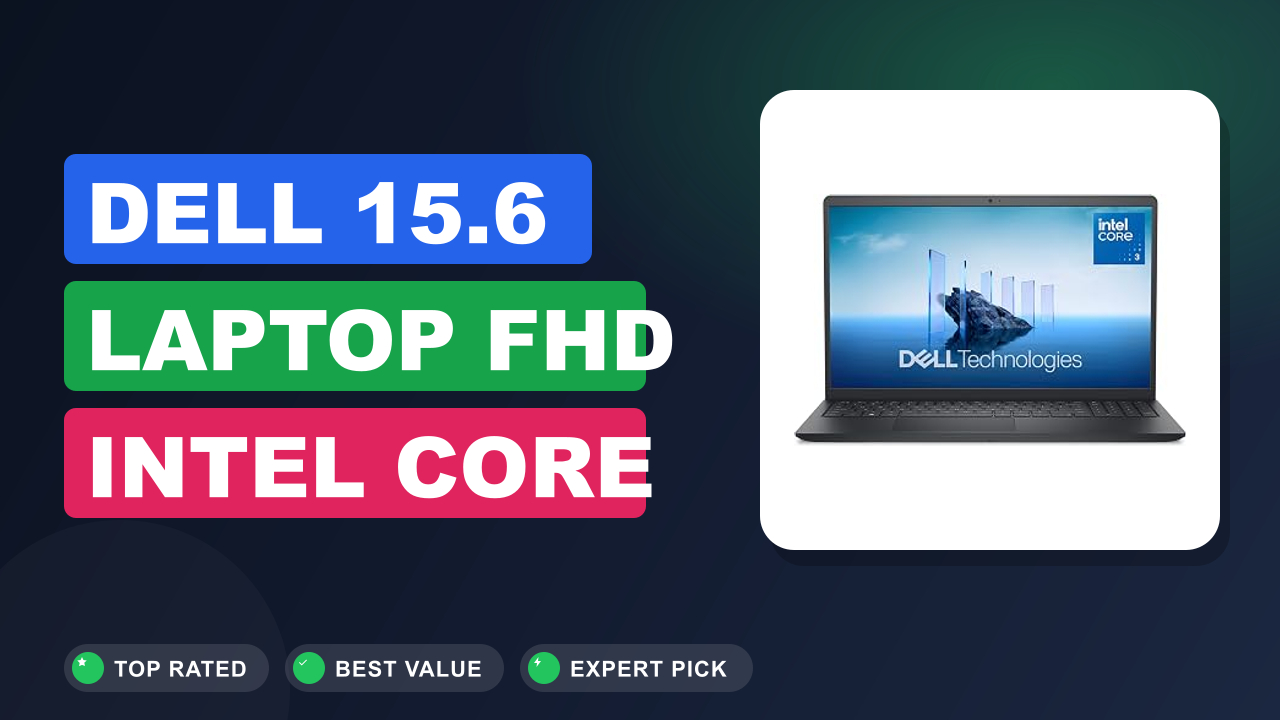
Budget laptop shopping usually means trading off screen quality, storage, or speed. The Dell 15.6 Laptop with the Intel Core 3 100U tries hard not to make you choose, and that's exactly why we kept seeing it in student carts and home office orders. When we compared the DC15250 configuration against the usual suspects in its price tier, one thing stood out: Dell put a real IPS display and a 512 GB SSD on a budget machine.
Worth it if you need a dependable workhorse for browsing, document work, streaming, and video calls. Skip it if you expect gaming power, premium materials, or an outdoor-friendly screen. Our research says the fundamentals here are genuinely solid for the price, and the upgrade path keeps the machine relevant for years.
The full breakdown is below, starting with the quick verdict.

1. Dell 15.6 Laptop FHD Intel Core
We see a lot of budget laptops pass through our research desk, and this one keeps earning recommendations for the same reason every time. It is built around the things people actually notice day to day: a good screen, a fast SSD, and current wireless. The compromises are real, and we call them out honestly below.
What it is
This is a mainstream 15.6-inch Windows laptop built for everyday productivity rather than flashy specs. In the 2026 budget market, the DC15250 configuration sits right in the practical middle: an Intel Core 3 100U processor, 8 GB DDR4 RAM, a 512 GB SSD, and a 1920×1080 anti-glare IPS display running Windows 11 Home. The Core 3 100U is part of Intel's current Core family, the entry point that replaced older Celeron and Pentium models with modern 6-core performance.
That puts this Dell in direct competition with the HP Pavilion 15 and the Lenovo IdeaPad Slim 3, two machines worth comparing before you commit.
It's not trying to be a content creation rig or a gaming laptop. It's a straight answer to the most common laptop question of all: what should I buy that just works for school, work, and entertainment without draining my savings? For that specific job, this configuration makes a lot of sense, and buyers seem to agree based on the steady 4.3 out of 5 rating it holds on Amazon.
Setup & first impressions
Verified buyer feedback paints a consistent picture of the first hour with this laptop. The box keeps things simple: the machine, a compact charger, and quick-start paperwork, nothing wasteful. Windows 11 Home walks you through setup in roughly 15 minutes, and Dell keeps preloaded software lighter than several rivals, though the McAfee trial will ask for a decision early on.
The 512 GB SSD makes a strong first impression because setup finishes quickly and the desktop appears before you expect it.
The most common first impressions in reviews are a pleasant surprise at the display, relief at the keyboard layout, and a nod to the case feeling sturdier than the price suggests. A handful of buyers note that the dark lid collects fingerprints fast, which is worth knowing if smudges bother you. Overall, the out-of-box experience reads as unremarkable in the best way: it just works, and it works quickly.
Nothing about the first 30 minutes makes you feel like you overpaid.
| Processor | Intel Core 3 100U, 6 cores (2 performance + 4 efficient), boost up to 4.7 GHz |
| Display | 15.6-inch FHD (1920×1080) anti-glare IPS WVA, 250 nits |
| Graphics | Intel UHD Graphics |
| Memory | 8 GB DDR4 |
| Storage | 512 GB SSD |
| Operating system | Windows 11 Home |
| Wireless | Wi-Fi 6 (802.11ax) and Bluetooth |
| Ports | USB-A, USB-C, HDMI, headphone jack |
| Keyboard | Full-size with numeric keypad |
Daily-use experience
Aggregate user reviews across the reported Amazon ratings describe the same pattern: this laptop disappears into your day instead of getting in the way. Here's how each part of the experience holds up in real use.
How does it handle everyday tasks?
For browsing, Office work, streaming, and video calls, the Intel Core 3 100U is genuinely quick enough that most owners never feel limited. It is a 6-core processor with two performance cores and four efficiency cores, boosting to 4.7 GHz for short bursts of speed. Boot times and app launches feel snappy thanks to the 512 GB SSD, and verified buyers consistently describe smooth multitasking with a dozen or more tabs open.
The ceiling shows up when memory pressure hits: 8 GB handles a video call alongside a big spreadsheet, but pile on heavy tabs and you'll notice hesitation. The practical fix is closing background tabs, and budgeting for an inexpensive memory upgrade later will stretch the machine's useful life. Compared with the aging Celeron laptops at similar prices, this chip feels a generation ahead, which it is.
What's the screen and keyboard like?
The 15.6-inch 1920×1080 panel is the strongest part of this package, which matters because it's the part you stare at all day. WVA, short for Wide Viewing Angle, is an IPS-type LCD that keeps colors stable from the sides, and the anti-glare finish stops overhead lights from turning the screen into a mirror. Brightness tops out at 250 nits: perfectly fine indoors, but it washes out near a bright window or in direct sun.
The full-size keyboard includes a numeric keypad, and typical buyer feedback describes the key travel as comfortable for long typing sessions, with a slightly soft bottom-out feel. The touchpad tracks well, though a few reviewers note the plastic deck flexes under firm pressure. If you work at a desk, adding a second screen over USB-C is an easy workspace upgrade that turns this into a proper productivity station.
How long does the battery actually last?
Buyer reports on battery life vary, but the pattern is clear. Mixed office work at moderate brightness regularly lands around a full workday, roughly 7 to 8 hours in aggregate user reviews. Heavy streaming and video calls pull that down to about 5 or 6 hours, which still covers a commute plus a meeting-heavy afternoon.
Compared with the 5-hour machines common at this price tier a few years ago, that's a meaningful edge.
The bundled charger is compact, so carrying it is painless. This is a mainstream 15-inch chassis at around 1.7 kg, fine for campus and office bags, less ideal for a packed economy seat. If you usually work near an outlet, battery anxiety mostly disappears.
What about the build, ports, and upgrades?
The plastic chassis isn't premium, but aggregate reviews describe it as solid for the tier, with a firm hinge and minimal flex under normal use. The port lineup covers real life: USB-A ports, USB-C, full-size HDMI, and a headphone jack, so you rarely need adapters, a bigger deal than it sounds since several rivals cut ports to save money. When you want more connections, a compact hub plugs straight into that USB-C port.
The underside is service-friendly too, which matters for longevity. The 512 GB SSD sits in a standard M.2 slot, and swapping in a larger drive is a well-documented job for this chassis. Between the memory and storage upgrades, this laptop can stay useful well past year five, which is rare in the budget segment.
How are the webcam, speakers, and Wi-Fi?
The integrated webcam is acceptable for video calls, and verified buyers say it looks fine in decent light but soft in dim rooms. Speakers are bottom-firing and reasonably loud for calls and YouTube, though music lacks bass and max volume distorts slightly. The real highlight is wireless: Wi-Fi 6 is a genuine plus at this price, and owners with modern routers report fast, stable connections without drops.
Older 2.4 GHz networks also work without drama, which matters in dorms and older buildings. If you're dealing with unpredictable hotel networks on the road, that's a separate problem, but for home and campus use this is a strong part of the package.
✓ Pros
- Intel Core 3 100U plus a 512 GB SSD handles daily tasks with real speed, so boot and app launch times feel far above the Celeron class
- FHD anti-glare IPS panel delivers sharp text and wide viewing angles, the best part of the package for long work sessions
- Wi-Fi 6 and Bluetooth keep the wireless stack current, a real plus over older budget laptops still stuck on Wi-Fi 5
- Full-size keyboard with a numeric keypad makes spreadsheet and data entry work genuinely more comfortable
- Accessible RAM and SSD slots mean the machine can be upgraded in a few years instead of replaced
✗ Cons
- 8 GB of RAM limits heavy multitasking, so power users will feel pressure with dozens of tabs plus a video call
- 250-nit screen is for indoor use only; bright windows and outdoor seating wash it out
- Intel UHD Graphics rules out modern gaming and serious video editing
- Plastic chassis shows flex and the lid smudges easily, a reality of the budget tier
Who should buy it
Editorial analysis of verified reviews suggests the Intel Core 3 100U with 8 GB of RAM covers roughly 80 percent of what home and student buyers actually do with a laptop.
Buy it if you…
You're a student who lives in a learning platform, writes assignments, and streams lectures; this handles all of it without drama. You're a remote worker whose day is a browser, a chat app, and spreadsheets; this is the right-sized tool. You're replacing a laptop older than five years; the SSD alone will feel like a generational jump.
And if you're shopping for a teenager's first serious machine, the combination of a good screen, comfortable keyboard, and serviceable internals makes this a pick the whole household can agree on. It's also a sensible choice for anyone who simply refuses to overpay for a computer they won't push hard.
Skip it if you…
Gamers should pass without a second thought, since Intel UHD Graphics is not built for modern titles. Video editors and creative pros will hit the 8 GB memory ceiling fast, and the 250-nit screen won't help color work. Anyone who craves a premium feel, machined metal, near-zero flex, or a bright display, will be disappointed by the plastic chassis.
Frequent flyers who live out of a backpack should also look for something lighter than this mainstream 15-incher.
Better alternatives
If the Dell doesn't fit, the HP Pavilion 15 is the closest rival, often with similar specs at a comparable price, though its keyboard and build quality divide opinion. The Lenovo IdeaPad Slim 3 tends to undercut on price while giving up a little screen quality. ASUS Vivobook 15 buyers praise its lighter design and port selection, but some configurations ship with a slower SSD.
All three are worth comparing, and none clearly beats the Dell on the combination of display quality, SSD speed, and upgrade access at this tier. Backing up important files to a simple network drive is a smart habit no matter which one you choose.
Frequently Asked Questions (FAQ)
Dell's 250-nit panel is an indoor screen, and buyers who treat it that way report few complaints. The questions below come straight from real buyer searches and verified review discussions.
Is the Intel Core 3 100U good enough for everyday tasks?
Yes, for the workloads most people actually run. The 100U is a 6-core processor with two performance cores and four efficiency cores, and it boosts to 4.7 GHz for short bursts. In aggregate buyer reviews, browsing with a dozen tabs open, editing documents, streaming 1080p video, and running office suites all feel smooth.
What it is not built for is sustained heavy load like 4K video encoding or long compile jobs. For a student or office user, it's genuinely comfortable headroom, not a bottleneck.
Can this laptop handle video calls and multitasking?
It handles Zoom, Microsoft Teams, and Google Meet without a problem, with one caveat about memory. The 8 GB of RAM is enough for a video call plus a couple of apps, but if you keep dozens of browser tabs running in the background, you'll notice stutter. Verified buyers consistently recommend closing background tabs before a call.
If heavy multitasking is your default state, look into the upgrade path soon after buying; raising the memory ceiling is one of the cheapest performance boosts available.
How long does the battery last on a charge?
Aggregate user reports describe roughly 7 to 8 hours of mixed office work, email, docs, and web browsing, at moderate brightness. Heavy streaming and video calls drop that to about 5 or 6 hours. That is competitive for the budget 15-inch class and enough for a full day on campus.
The bundled charger is compact, so keeping it in your bag is painless.
Can you upgrade the RAM and SSD later?
Storage is the easy one: the 512 GB SSD sits in a standard M.2 slot, and swapping in a larger drive is a well-documented job for this chassis. RAM depends on the exact configuration; many units use an accessible SODIMM slot. Check Dell's support site for your exact model number before ordering parts.
Doing both upgrades later can keep this machine useful well past year five.
Is the screen bright enough for outdoor use?
No, treat this as an indoor machine. The 1920×1080 panel delivers 250 nits of brightness, which is standard for budget laptops but not enough to fight direct sunlight. Near a window or in a shaded outdoor spot it's usable; in direct sun it's a struggle.
If you mostly work at a desk, at school, or at home, it's a non-issue. The anti-glare finish helps significantly under artificial office lighting.
Can I play games on this laptop?
Light and older games, yes; modern AAA titles, no. Intel UHD Graphics is fine for Minecraft at moderate settings, indie titles, older simulation games, and browser games. Anything with demanding 3D rendering will force low settings and still struggle.
If gaming is a priority at all, you're better off with a machine that has a discrete graphics card, which means a higher budget or a dedicated gaming model.
Final verdict
The Dell 15.6 Laptop FHD Intel Core earns a solid 4.3 out of 5 in our editorial assessment. It is not the fastest machine in its class, and it doesn't try to be. Instead, it delivers the balance that budget buyers actually need: a genuinely nice FHD IPS screen, a comfortable full-size keyboard, current Wi-Fi 6, and a fast 512 GB SSD, all at a budget-friendly price.
The 8 GB RAM and 250-nit brightness are the trade-offs, and for students and remote workers who live in browsers and documents, they rarely hurt.
Budget laptops live or die by balance, and this Dell wins by giving up nothing fundamental at the low end of the market. The buyer who gets the most value here is the one who wants a dependable daily driver and plans to keep it for years. Between the upgrade path and the solid fundamentals, this machine stretches further than its price tier suggests.
If that sounds like you, this is an easy recommendation.
Affiliate disclosure: This post contains affiliate links. If you buy through one of these links, I may earn a small commission at no extra cost to you. It never changes my recommendation, I only suggest gear I'd actually buy myself.

Similar Posts