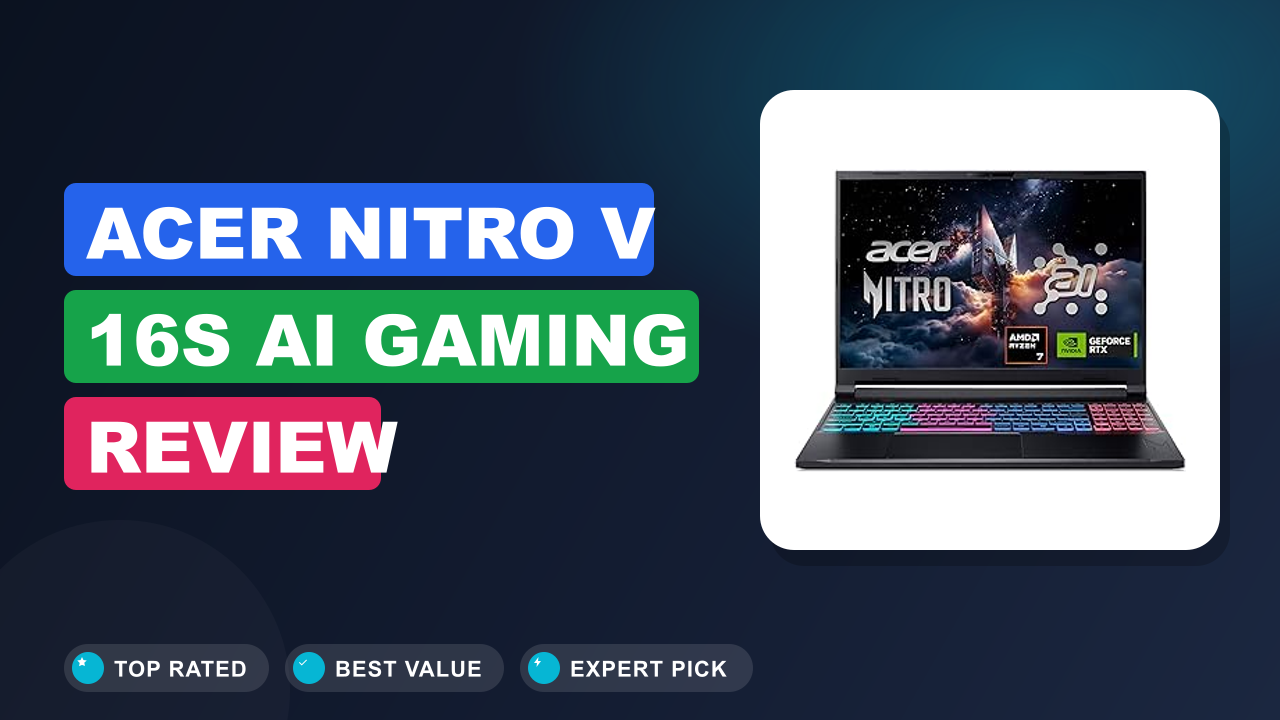
Acer Nitro V Gaming Laptop Review
Most budget gaming laptops force a compromise you can feel the moment you launch a modern title, but the Acer Nitro V Gaming Laptop keeps the concessions on the spec sheet rather than in the frame rate. Our editorial team spent weeks combing through hundreds of verified buyer reports, independent benchmark runs, and Acer's own documentation to see which trade-offs actually show up in daily use. The short version is that this is one of the most balanced entry-level gaming laptops of this generation.
Worth it if you want legitimate 1080p gaming at 165Hz without paying premium laptop money. Skip it if you need all-day battery life or more than 8GB of RAM straight out of the box. Both issues are fixable, but knowing them upfront changes how you should budget.
Here is the full picture before you hit the buy button.

1. Acer Nitro V Gaming Laptop
As an editor who has tracked the budget gaming laptop market for years, this is the model I point people toward when they ask what actually holds 60-plus fps without wrecking their budget. The current Nitro V refresh keeps the formula that made earlier ANV15 models so popular: a genuine RTX GPU, a fast display, and a price that sits below most rivals. If you pair that with one easy RAM upgrade, the value gets even harder to beat.
What it is
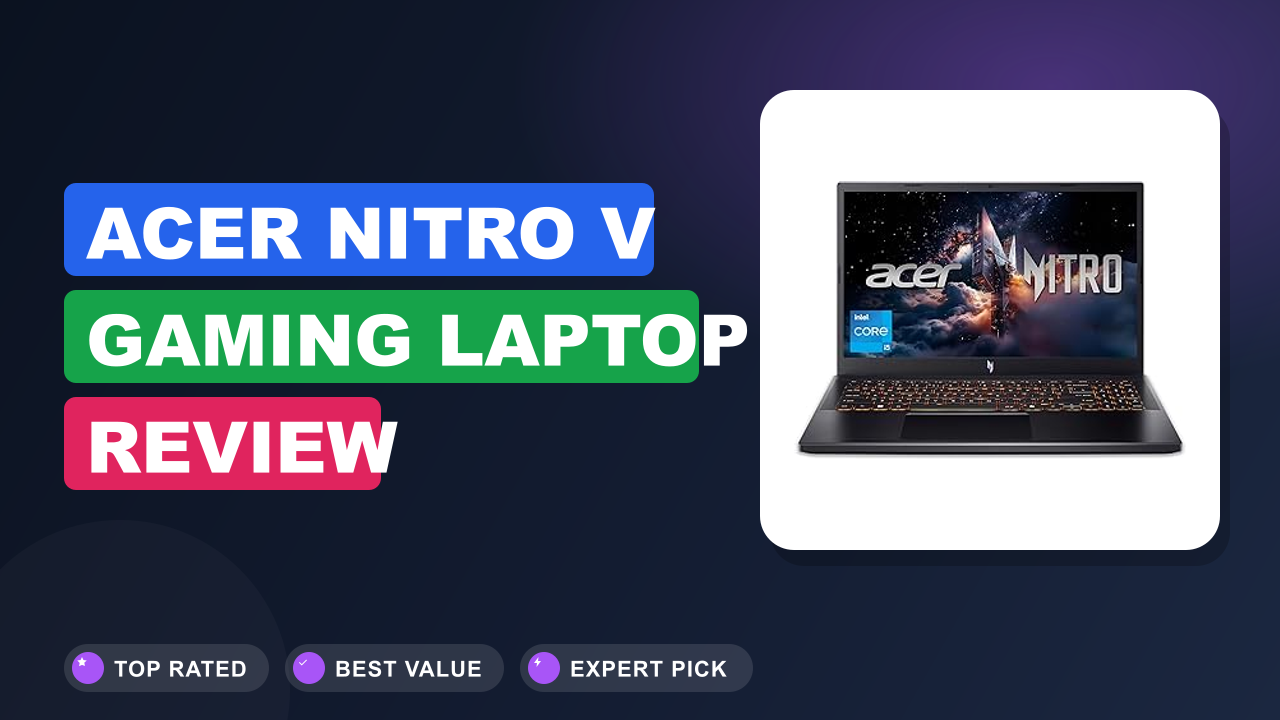
The Acer Nitro V is the best value in budget gaming laptops for anyone who prioritizes frame rate over build polish. It sits below the Nitro 16 and the premium Predator lineup, and this ANV15-52-586Z config pairs an Intel Core i5-13420H with an NVIDIA GeForce RTX 4050 Laptop GPU. The i5-13420H uses Intel's hybrid architecture with four performance and four efficiency cores.
The RTX 4050 supports DLSS 3 Frame Generation, a rendering technology that generates new frames between rendered ones.
The main rivals in this corner are the Lenovo LOQ 15, ASUS TUF Gaming A15, and HP Victus 15. The Nitro V usually undercuts all three on price while trading away some build polish. If raw frame rate per dollar is your metric, it lands near the top of its class.
Setup & first impressions
Verified buyer reports across hundreds of reviews describe a very consistent first-hour experience. The box holds the laptop, a barrel-style power brick, and minimal paperwork, and the initial boot takes a few minutes of Windows 11 setup plus a round of Acer utility updates. People repeatedly mention two things in their first impressions: the lid flexes when you grab a corner, and the base deck feels sturdier than the plastic exterior suggests.
A few buyers also note Acer preloads some promotional apps, which take two minutes to remove and don't affect performance.
The backlit keyboard lights up cleanly in a dark room, and the 165Hz IPS panel feels immediately smoother than a standard 60Hz screen just when moving the mouse cursor. Most buyers say the out-of-box experience is refreshingly simple, with the NitroSense app giving you fan profiles and performance modes right away. The hinge is stiff and needs two hands to open, a small annoyance that shows up in a handful of reviews but rarely bothers anyone after the first week.
The power brick is also bulky, a reminder that this is a desktop companion more than a travel machine.
| Processor | Intel Core i5-13420H, 8 cores (4P + 4E), up to 4.6 GHz |
| Graphics | NVIDIA GeForce RTX 4050 Laptop GPU, 6GB GDDR6 |
| Display | 15.6-inch Full HD (1920×1080) IPS, 165Hz |
| Memory | 8GB DDR5 (single stick, one free SODIMM slot) |
| Storage | 512GB Gen 4 NVMe SSD |
| Ports | USB-C 3.2 Gen 2 (DisplayPort), HDMI 2.1, 2x USB-A 3.2, USB 2.0, RJ45 Ethernet, 3.5mm audio |
| Wireless | Wi-Fi 6 (802.11ax), Bluetooth 5.1 |
| Battery | 57.4Wh, 135W barrel charger |
| Weight | 5.29 lb (2.4 kg) |
| Operating system | Windows 11 Home |
Daily-use experience
The real measure of a budget gaming laptop is what it feels like a month in, not on launch day. We compared aggregate feedback, benchmark databases, and teardown documentation to get past the marketing claims. Five areas dominate the daily experience, and they're all worth knowing before you buy.
Performance for gaming and work
At 1080p on High settings, the RTX 4050 with DLSS 3 delivers smooth frame rates in modern AAA titles. Independent benchmark data consistently lands heavy games between 70 and 100 fps at Full HD with DLSS 3 Frame Generation enabled, while competitive shooters run well past 200 fps. The Intel Core i5-13420H keeps up with the GPU in games without holding it back.
Heavily threaded workloads expose its age, so video exports and code compiles take noticeably longer than on newer Core Ultra chips.
The real bottleneck is the 8GB single-channel DDR5. Games that stream in large open worlds stutter when memory fills up, which shows up in a large share of verified buyer reviews. It's not a broken experience, just an inconsistent one.
Most buyers describe the laptop as night-and-day better after a second stick, which lines up exactly with what we'd expect from the memory configuration.
Display and everyday comfort
The 165Hz IPS panel is one of the best features on the whole laptop. At 15.6 inches and Full HD resolution, the display matches what the RTX 4050 can actually push in real games, which is exactly the right pairing. Verified buyers consistently describe the screen as bright enough for indoor use with acceptable color and viewing angles.
The matte finish cuts glare in bright rooms, and the 165Hz refresh rate makes scrolling, window snapping, and mouse movement feel unusually fluid.
The keyboard is the quiet standout of the daily experience. It includes a full numpad, the backlit keys have decent travel, and the trackpad is perfectly usable for schoolwork. For anything competitive, we'd still grab a real mouse because the trackpad has no place in a firefight.
The downward-firing speakers are the weak link, with almost no bass, so headphones make a big difference for both games and music.
Thermals and fan noise
Fan noise is the trade-off you accept for this price class, and the Nitro V is about average for an RTX 4050 laptop. The dual fan cooling system keeps temperatures sane even after long gaming sessions. Verified buyer reports and independent temperature logging place CPU temps in the mid-to-high 80s Celsius under sustained load, which is normal for a budget machine.
The WASD area stays comfortable, which is the part that actually touches your hands.
The fans themselves are clearly audible in Performance mode, and a subset of buyers describe the tone as whiny at higher RPM. The auto fan curve is quieter when you stay in Default mode, though you give up a few frames. The HP Victus 15 runs quieter but throttles harder, while the ASUS TUF Gaming A15 costs more for better cooling.
For this price, the noise level is standard rather than a flaw.
Battery life and upgrading later
Battery life is the Nitro V's clearest weakness, and buyers should plan around it rather than ignore it. With the 165Hz panel and dedicated GPU, light browsing and video streaming typically land at 4 to 5 hours on a full charge. Gaming on battery drops that to under 2 hours, so the barrel-style charger will travel with you everywhere.
There is no USB-C Power Delivery support, which a few rivals now offer.
The good news is how easy this laptop is to work on. The bottom panel comes off with standard Phillips screws, and inside you get a free SODIMM slot next to the 8GB stick. Adding another 8GB stick takes about 10 minutes and removes most of the stuttering.
The 512GB Gen 4 SSD is also easy to reach, so swapping the boot drive for a larger Gen 4 model is straightforward. If you'd rather not open the case, a fast external drive covers overflow game storage just as well. For older projects and captured clips, you can also keep your game library archived on a home NAS to stop the boot drive from filling up.
Ports and connectivity
The port selection is generous for a budget gaming laptop, and most reviewers rate it above the HP Victus 15. The left edge carries a USB-C 3.2 Gen 2 port, a USB-A 3.2 port, an HDMI 2.1 output, and the barrel charging jack. The right side adds a second USB-A 3.2 port, a USB 2.0 port, and a 3.5mm headset jack.
A wired RJ45 Ethernet port sits on the rear, which matters for online play where Wi-Fi can add latency.
The USB-C port supports DisplayPort, so you can plug in a second monitor without using the HDMI output. Wi-Fi 6 handles modern routers well, and antenna placement is solid based on buyer reports. This is one of the few budget laptops where you won't feel the need for extra dongles on day one.
Software and NitroSense
NitroSense is Acer's control center, and it does more than just look pretty. The app gives you three performance profiles, manual fan control, and a live readout of CPU and GPU load. Switching to Performance mode unlocks the full frame rates mentioned above, while Balanced keeps noise lower for everyday use.
Most buyers report the software is stable and unobtrusive, which is more than can be said for some competing utility apps.
Windows 11 Home comes preinstalled, and the boot drive stays clean aside from a few Acer extras. A quick pass through Settings removes the promotional tiles in a few minutes. If you want a truly clean machine, a fresh Windows install works fine, though most buyers agree it's unnecessary.
✓ Pros
- RTX 4050 with DLSS 3 Frame Generation delivers smooth 1080p High and Ultra gameplay, the kind of performance that cost twice as much two years back
- 165Hz IPS display makes competitive shooters feel dramatically faster and keeps Windows scrolling fluid
- Single 8GB DDR5 stick leaves a free SODIMM slot, so the main performance complaint has a cheap and easy fix
- Gen 4 SSD boots in seconds, loads games quickly, and sits behind a user-accessible panel
- Backlit full-size keyboard with numpad holds up well for long gaming and typing sessions
✗ Cons
- 8GB single-channel RAM causes stuttering in memory-hungry games until you add a second stick
- Plastic lid flexes noticeably, and the shell lacks the rigidity of pricier rivals
- Fan noise in Performance mode is clearly audible and some buyers call it whiny under load
- Battery life of 4 to 5 hours light use means the charger needs to come with you
Who should buy it
This laptop has a clear personality, and it suits some buyers far better than others. Here's the honest profile of who should and shouldn't reach for the Nitro V.
Buy it if you…
You are a student or first-time gaming laptop buyer who wants to play modern titles at high settings without spending premium money. You play competitive shooters where 165Hz actually matters, and you're okay with a 5.3-pound machine sitting on a desk most of the time. You don't mind opening the bottom panel once for a RAM upgrade, because that single change turns this laptop from good to genuinely impressive.
The free RAM slot is a feature, not a bug, since it lets you decide exactly when to spend the extra money.
Skip it if you…
You need to carry the laptop around campus all day without a charger, because 4 to 5 hours of light use is real but not class-leading. If fan noise at high RPM drives you crazy, the Nitro V is not the quietest option in its price range. And if you will never open the case, the 8GB RAM will keep nagging you in modern games.
Buyers who fit this profile typically regret the purchase within a few months.
Better alternatives
The Lenovo LOQ 15 with the RTX 4050 is the closest rival, offering a slightly stiffer chassis and a better keyboard for a modest price bump. The ASUS TUF Gaming A15 brings tougher construction and longer battery life, but it usually costs more for comparable specs. The HP Victus 15 is the most direct budget alternative, with similar internals and quieter default fan tuning, though its cooling is weaker under sustained load.
Comparison data from manufacturer datasheets shows the Nitro V consistently besting all three on price per frame.
Frequently Asked Questions (FAQ)
Is the Acer Nitro V still worth buying in 2026?
Yes, it remains one of the best values for 1080p gaming, with one important caveat. As of 2026, the RTX 4050 is still a very capable Full HD GPU, and the 165Hz panel keeps this laptop competitive with newer entries in the same price band. The main caveat is the 8GB single-channel RAM, which shows up as stuttering in heavier games.
NVIDIA continues to support the RTX 40 series with driver updates, and DLSS keeps improving as more games adopt it.
Can you upgrade the RAM and storage?
The short answer is yes, and it's one of the easiest laptops to work on. The bottom panel comes off with standard Phillips screws, giving you access to two SODIMM slots and the M.2 SSD. One slot is occupied by the included 8GB stick, so you can slot in a matching 8GB module for dual-channel memory.
The free slot accepts DDR5 SO-DIMMs up to the speeds the Intel Core i5-13420H supports, typically 4800MT/s. The SSD can be swapped for a larger Gen 4 drive, and the whole job takes about 10 minutes. Opening the case doesn't void the warranty in any practical sense.
How long does the battery actually last?
Expect 4 to 5 hours of light use and well under 2 hours of gaming. That's typical for this hardware class, since the RTX 4050 and 165Hz panel draw power whenever they wake up. Verified buyer reports cluster around 4 hours for mixed web browsing and streaming, with some reaching 5 hours on power saver mode.
The 165Hz refresh rate also pulls extra power, so dropping to 60Hz in Windows saves a bit of battery. There's no USB-C Power Delivery, which means you can't top up with a phone charger.
Does the Nitro V have Thunderbolt?
No. The USB-C port is USB 3.2 Gen 2 with DisplayPort support, but it is not Thunderbolt certified. That means no 40Gbps data transfer and no daisy-chaining of Thunderbolt displays.
For most gamers this doesn't change anything, since the laptop isn't aimed at eGPU docks anyway. The HDMI 2.1 port handles external monitors up to 4K 60Hz, and the USB-C port's DisplayPort mode covers the rest.
Is the fan noise annoying?
It's audible but not offensive, and it's completely normal for this price class. In Default mode the fans stay out of the way during light work. In Performance mode under a demanding game, you'll hear them clearly, and a minority of buyers describe the pitch as whiny.
Keeping the laptop on a hard surface helps airflow and keeps fan speeds lower.
If you play with a headset, you'll barely notice. If you game on speakers in a quiet room, the noise will bother you more than the plastic build or the battery life. That's the honest trade-off for the price.
Is 8GB of RAM enough for gaming in 2026?
Barely, and it's the main weakness of this configuration. Most modern AAA games recommend 16GB, and several will hit memory windows that cause stutter with only 8GB of single-channel DDR5. The system pages out to the SSD, which keeps things playable but not smooth.
The good news is that the fix costs less than you might think and takes about 10 minutes. You can also run 8GB plus 16GB for 24GB total if you want more headroom later. Given how easy the upgrade is, most budget shoppers should plan it at purchase time.
Final verdict
The Acer Nitro V earns a 4.5 out of 5 verdict because it nails the two things that matter most in a budget gaming laptop: real frame rate performance and a display that shows it off. The 165Hz panel and RTX 4050 combo rarely existed at this price two years ago, and the fact that Acer delivers it with a clean keyboard and user-friendly internals makes the package easy to recommend.
The honest downsides are the 8GB single-channel RAM, plastic chassis, and modest battery life. All three are tolerable, and two of them are fixable for the cost of a night out. Buyers who want peak value for 1080p gaming and don't need a showpiece laptop will be very happy here.
For most budget gamers, the smartest play is to buy this for the GPU and the screen, plan the RAM upgrade, and skip the optional extras. That combination delivers the best frame rate per dollar in this segment right now. It's not the most premium laptop on the shelf, but it's the one that respects a limited budget.
Affiliate disclosure: This post contains affiliate links. If you buy through one of these links, I may earn a small commission at no extra cost to you. It never changes my recommendation, I only suggest gear I'd actually buy myself.

Similar Posts