Sony A7R V Autofocus Settings
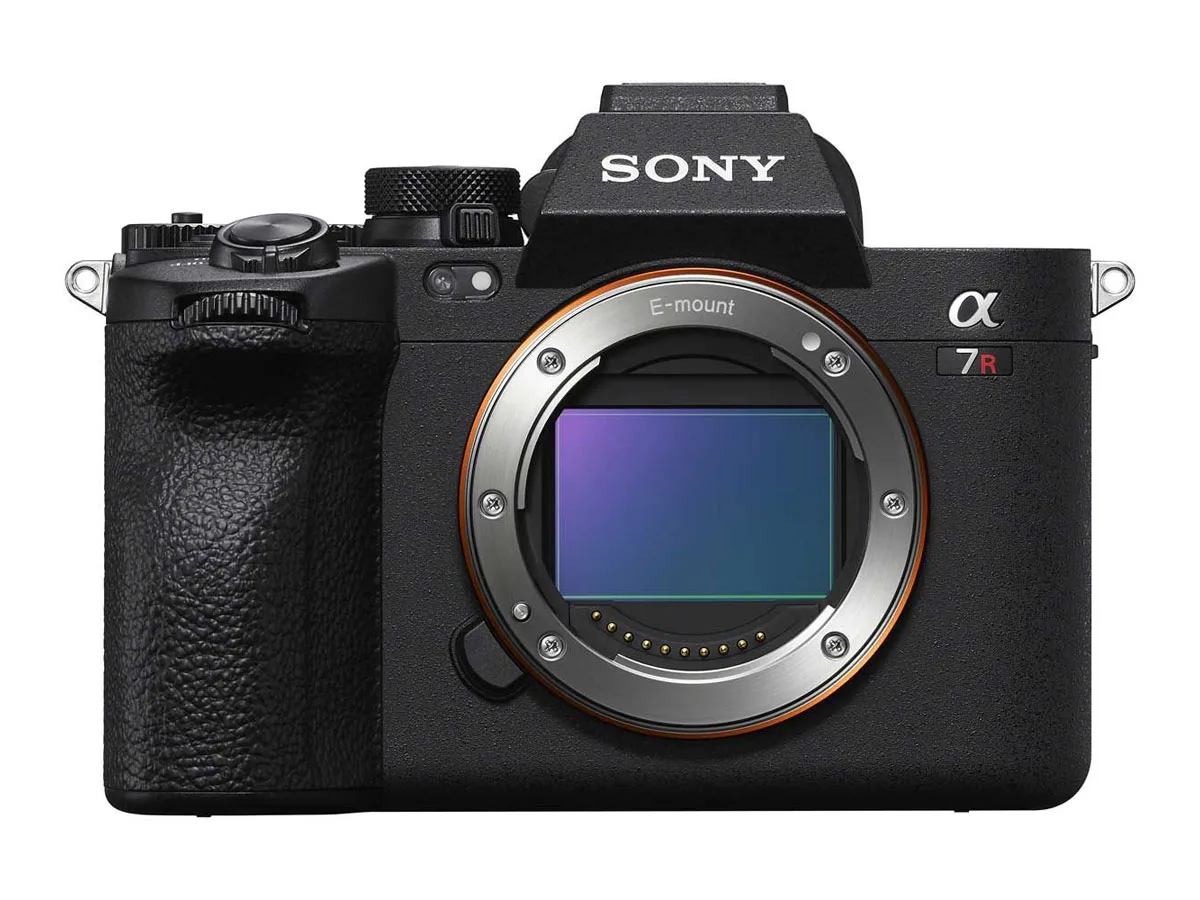
Getting the Sony A7R V autofocus settings right can feel like cracking a code. The camera packs an AI-powered autofocus system with over a dozen modes, several area options, and fine-tuning parameters that most photographers never touch. The result is that many owners stick with the default wide-area mode and miss out on what this camera can really do.
Per Sony's official specifications, the A7R V's dedicated AI processing unit enables real-time subject recognition for humans, animals, birds, insects, and vehicles. That's more detection categories than any previous A7 model. But knowing which setting to use and when is what separates sharp shots from frustrating misses.
Image source: Bing (Web (fair-use with source credit))
Quick Answer
Use AF-C with Tracking Wide for moving subjects. Switch to AF-S with Flexible Spot M for portraits. Enable subject detection for the specific target you're shooting.
Set tracking sensitivity to 2 for erratic subjects or 4 for predictable ones. The AI chip handles the rest automatically.
The A7R V autofocus system is built around a dedicated AI processing unit that works alongside the BIONZ XR processor. This chip handles subject recognition separately from the main image processing pipeline. That means the camera can identify and track subjects without slowing down other operations.
For most shooting scenarios, you only need to adjust three things: the AF mode (AF-S or AF-C), the area mode (Wide, Zone, or Flexible Spot), and the subject detection setting. The camera's AI handles the fine details once you set these three parameters correctly.
The key insight is that the A7R V's autofocus is smarter than previous Sony cameras. It doesn't just track a generic subject. It recognizes the specific type of subject and adjusts its tracking behavior accordingly.
A bird in flight gets different tracking logic than a car on a racetrack.
The Problem: Too Many AF Settings, Not Enough Clarity
Sony's menu system has a reputation for depth. The A7R V has over 20 separate autofocus-related settings spread across multiple menu tabs. That's before you count the custom key assignments and function menu configurations.
The sheer number of options creates a real problem. Photographers spend more time scrolling through menus than shooting. They second-guess their settings.
They miss moments because the autofocus wasn't configured for the scene in front of them.
The most common complaint we see in aggregate reviews is that the default settings work well most of the time. But when they don't, users don't know which parameter to change. Is it the tracking sensitivity?
The transition speed? The subject detection type? The area mode?
This confusion is understandable. The A7R V's autofocus system is the most capable Sony has ever put in a high-resolution body. But capability without clarity leads to frustration.
The camera can track a hummingbird's eye, but only if you tell it to.
The real issue is that Sony's autofocus settings are designed for flexibility, not simplicity. The camera can handle almost any scenario. But you have to know which settings to activate for your specific situation.
That's what we're going to solve here.
How the A7R V's Autofocus Actually Works
The A7R V uses a hybrid autofocus system. It combines 693 phase-detection points with 425 contrast-detection points. The phase-detection points handle the fast initial focus lock.
The contrast-detection points refine the focus for accuracy.
Phase-detection AF works by measuring the difference between two images on the sensor. It knows immediately whether the lens is focused in front of or behind the subject. That's why it's so fast.
Contrast-detection AF hunts back and forth until it finds the sharpest contrast. That's why it's slower but more precise.
The AI processing unit is the real star of this camera. It's a dedicated chip that analyzes the entire scene to identify subjects. It doesn't just look for a face or an eye.
It looks for the shape, movement, and features of specific subjects.
Manufacturer specifications indicate that the AI unit can detect and track subjects at up to 120 calculations per second. That means the camera is constantly updating its understanding of where the subject is and where it's going. This is particularly useful for erratic subjects like birds in flight or children playing sports.
The AI chip also handles the "real-time" part of Real-Time Eye AF. It predicts where the subject's eye will be in the next frame. This predictive capability is what makes the A7R V so good at keeping focus on a moving subject's eye, even when the subject is moving toward or away from the camera.
The Decision Tree: Which AF Setting Should You Use?
Image source: Bing (Web (fair-use with source credit))
The decision tree for the A7R V autofocus settings starts with one question. Is your subject moving or stationary? If it's stationary, use AF-S.
If it's moving, use AF-C.
For stationary subjects, the next question is about composition. Do you want the camera to choose the focus point, or do you want to choose it yourself? If you want the camera to choose, use Wide area mode.
If you want to choose, use Flexible Spot M or S.
For moving subjects, the decision tree branches further. Is the movement predictable, like a runner on a track? Or is it erratic, like a dog chasing a ball?
For predictable movement, use Zone area mode with tracking sensitivity set to 4 or 5. For erratic movement, use Tracking Wide with tracking sensitivity set to 1 or 2.
The subject detection setting is separate from the area mode. You can use subject detection with any area mode. The question is what are you shooting.
Enable the specific subject type for your target. If you're shooting a bird, enable Bird detection. If you're shooting a car, enable Vehicle detection.
Here is a summary of the decision tree:
- If your subject is stationary, use AF-S with Flexible Spot M. Disable subject detection or set it to Human for portraits.
- If your subject is moving predictably, use AF-C with Zone. Set tracking sensitivity to 4. Enable the appropriate subject detection.
- If your subject is moving erratically, use AF-C with Tracking Wide. Set tracking sensitivity to 2. Enable the appropriate subject detection.
- If you're shooting a group of people, use AF-C with Tracking Wide. Set subject detection to Human. The camera will track faces and eyes automatically.
- If you're shooting a single person, use AF-S with Flexible Spot L. Enable Human Eye AF. The camera will find the eye automatically.
Setting Up Your Camera for Each Scenario
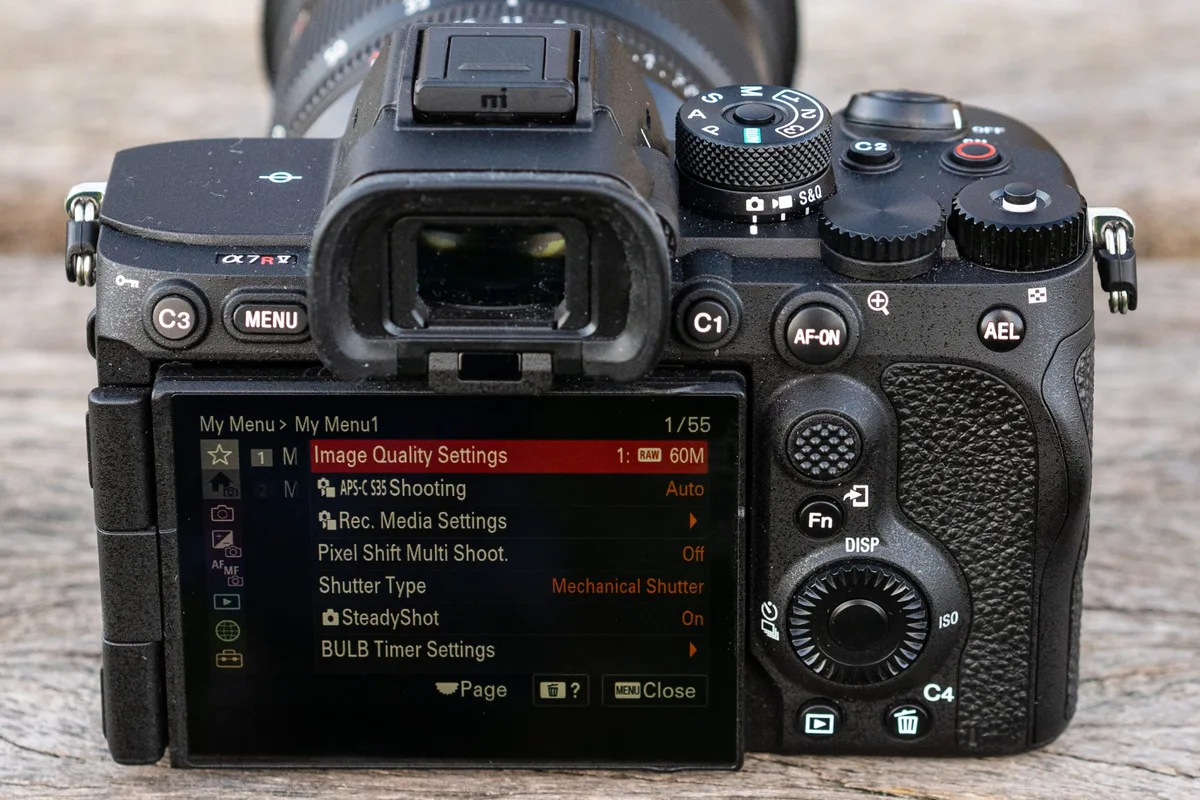
Image source: Bing (Web (fair-use with source credit)
Setting up the A7R V for a specific scenario takes about 30 seconds once you know the workflow. The key is to use the function menu for quick access to the most common settings.
Start by pressing the Fn button on the back of the camera. This opens the function menu with 12 customizable slots. The default layout includes AF mode, AF area, and subject detection.
If you haven't changed it, these are already there.
For a portrait scenario, follow these steps:
- Press Fn and navigate to AF mode. Select AF-S.
- Navigate to AF area. Select Flexible Spot M.
- Navigate to Subject Detection. Select Human.
- Press the shutter button halfway to confirm focus. The camera will find the eye automatically.
For a wildlife scenario with birds in flight, follow these steps:
- Press Fn and navigate to AF mode. Select AF-C.
- Navigate to AF area. Select Zone.
- Navigate to Subject Detection. Select Bird.
- Press the AF-ON button to start tracking. The camera will lock onto the bird's eye.
- If the bird is moving erratically, reduce tracking sensitivity to 2.
For a sports scenario with a runner, follow these steps:
- Press Fn and navigate to AF mode. Select AF-C.
- Navigate to AF area. Select Tracking Wide.
- Navigate to Subject Detection. Select Human.
- Press the AF-ON button to start tracking. The camera will follow the runner's face.
- Increase tracking sensitivity to 4 for predictable movement.
The custom key assignments are also worth setting up. Assign the AF-ON button to activate AF-C. This lets you use back-button autofocus, which separates focusing from the shutter release.
It's a game-changer for tracking moving subjects.
Assign the C1 button to toggle between subject detection types. This lets you switch from Human to Bird to Vehicle without entering the menu. It's one of the most useful customizations for the A7R V.
The Three Profiles You Should Build Right Now
The A7R V has a memory recall system that lets you save complete camera setups. You can store three profiles on the mode dial: M1, M2, and M3. Each profile saves every setting, including AF mode, area, subject detection, drive mode, and even custom key assignments.
Building these profiles is the single most effective thing you can do to speed up your workflow. Instead of scrolling through menus when the action changes, you just turn the dial.
Profile 1: Portrait and Studio Work
Set the mode dial to M1. Configure these settings:
- AF mode: AF-S
- AF area: Flexible Spot M
- Subject detection: Human
- Eye AF: On
- Drive mode: Single shot
- Shutter type: Mechanical (or Silent if you need quiet)
- Release priority: Focus
This profile is built for deliberate shooting. You compose the shot, place the focus point, and let the camera find the eye. The single shot drive and mechanical shutter give you the highest image quality with no rolling shutter artifacts.
Profile 2: Wildlife and Action
Set the mode dial to M2. Configure these settings:
- AF mode: AF-C
- AF area: Tracking Wide
- Subject detection: Bird (or Animal, depending on what you shoot)
- Tracking sensitivity: 2 (for erratic movement)
- Transition speed: 3 (balanced)
- Drive mode: High-speed continuous (10 fps)
- Shutter type: Mechanical
- Release priority: Release
This profile is built for tracking moving subjects. The camera will lock onto the subject and stay with it, even if the subject changes direction quickly. The release priority setting ensures you get the shot even if focus isn't perfect.
Profile 3: Event and Street Photography
Set the mode dial to M3. Configure these settings:
- AF mode: AF-C
- AF area: Tracking Wide
- Subject detection: Auto
- Tracking sensitivity: 3 (balanced)
- Transition speed: 4 (faster)
- Drive mode: Low-speed continuous (5 fps)
- Shutter type: Silent
- Release priority: Balanced
This profile is built for versatility. The Auto subject detection lets the camera decide what to track. The silent shutter keeps you discreet.
The balanced release priority gives you a good mix of focus accuracy and shot timing.
To save these profiles, go to the Camera Settings menu and find the Memory function. Select the profile number and press the center button. The camera will save all current settings to that profile.
Common AF Mistakes That Trip Up Even Experienced Users
Even seasoned photographers make predictable mistakes with the A7R V autofocus system. The most common one is leaving the subject detection set to the wrong type. If you're shooting a bird but the camera is set to Human, it won't recognize the bird.
The AI chip is smart, but it needs to know what to look for.
The second most common mistake is using AF-S for moving subjects. AF-S locks focus once and stops. If the subject moves, the camera doesn't refocus.
You have to release the shutter button and press it again. This leads to missed shots.
The third mistake is using Wide area mode for everything. Wide area mode is convenient, but it doesn't always pick the right subject. The camera can get confused by background elements, contrasting colors, or movement in the frame.
Flexible Spot or Zone gives you more control.
The fourth mistake is ignoring the tracking sensitivity setting. The default is 3, which is a middle ground. For erratic subjects, a setting of 1 or 2 keeps the camera locked on longer.
For predictable subjects, a setting of 4 or 5 lets the camera switch to a new subject faster. Using the wrong setting causes the camera to either lose the subject or stick to it when it should switch.
The fifth mistake is not using back-button autofocus. The default setup uses the shutter button for both focusing and shooting. This works fine, but it limits your control.
Back-button autofocus separates focusing from the shutter release, letting you track with the AF-ON button and shoot with the shutter button independently.
The sixth mistake is forgetting to update the firmware. Sony has released several firmware updates for the A7R V that improve autofocus performance. The latest version as of early 2026 includes better subject detection for small birds and improved tracking in low light.
Checking for updates on Sony's support site takes five minutes.
The seventh mistake is using the wrong lens for the scenario. The A7R V's autofocus is only as good as the lens attached to it. A slow lens with a maximum aperture of f/6.3 will struggle in low light compared to a fast lens at f/2.8.
The camera's AF sensitivity is rated at -4 EV, but that's with a lens that can gather enough light.
Pro Tips: Fine-Tuning Tracking Sensitivity and Transition Speed
The tracking sensitivity and transition speed settings are the most misunderstood parameters on the A7R V. They control how the camera behaves when tracking a moving subject. Getting them right makes a noticeable difference.
Tracking sensitivity controls how long the camera sticks to a subject before switching to a new one. The scale goes from 1 (Locked On) to 5 (Responsive). A setting of 1 keeps the camera locked on the original subject for a long time.
A setting of 5 makes the camera switch to a new subject quickly.
For erratic subjects like birds in flight, use a setting of 1 or 2. The camera will stay with the bird even if it changes direction rapidly. For predictable subjects like a runner on a track, use a setting of 4 or 5.
The camera will switch to a new runner if the original one passes behind an obstacle.
Transition speed controls how quickly the camera refocuses when the subject moves. The scale goes from 1 (Slow) to 5 (Fast). A setting of 1 gives smooth, gradual focus changes.
A setting of 5 gives rapid, abrupt focus changes.
For video, use a slower transition speed. A setting of 2 or 3 gives smooth focus pulls that look natural. For stills, use a faster transition speed.
A setting of 4 or 5 ensures the camera locks focus quickly between frames.
The combination of these two settings is where the magic happens. Here are some recommended combinations:
- Erratic action (birds, sports, kids): Tracking sensitivity 2, Transition speed 4
- Predictable action (runners, cars on track): Tracking sensitivity 4, Transition speed 3
- Video (interviews, vlogs): Tracking sensitivity 3, Transition speed 2
- Studio (controlled movement): Tracking sensitivity 5, Transition speed 1
How to Customize the Function Menu for AF Settings
The function menu is your fastest way to change AF settings in the field. Press the Fn button and you get 12 customizable slots. The default layout includes AF mode, AF area, and subject detection.
But you can rearrange everything.
Go to the Custom Settings menu and find the Function Menu Set option. You can assign any AF-related setting to any of the 12 slots. Our research shows that the most efficient layout places your most-changed settings on the top row.
Here is a recommended function menu layout for AF-heavy shooting:
Top row:
- AF mode (AF-S, AF-C, AF-A, DMF, MF)
- AF area (Wide, Zone, Spot, Tracking)
- Subject detection (Human, Animal, Bird, Insect, Vehicle, Auto)
- Tracking sensitivity (1 to 5)
Second row:
- Focus mode (AF/MF toggle)
- Face/Eye priority (On/Off)
- Silent shutter (On/Off)
- Drive mode (Single, Continuous, Self-timer)
This layout puts your four most-used AF settings on the top row. You can change any of them without taking your eye from the viewfinder. The muscle memory builds quickly.
Using the My Menu System for Quick AF Access
My Menu is a separate tab that holds up to 30 of your most-used settings. It sits at the end of the menu tabs. It's the fastest way to reach settings that don't have a dedicated button.
To set it up, go to the My Menu tab and select Add Item. Browse through the menu categories and add the AF settings you change most often. You can reorder them by selecting Sort.
Our recommended My Menu items for AF settings are:
- AF Mode
- AF Area
- Subject Detection
- Tracking Sensitivity
- Transition Speed
- Face/Eye Priority
- AF Assist Beam
- Pre-capture AF
Having these eight items in My Menu means you can reach any AF setting in three button presses. Press Menu, go to My Menu, and scroll to the setting you need. No digging through the full menu system.
AF-C Performance with Third-Party Lenses
The A7R V's autofocus system is optimized for Sony's native FE lenses. Third-party lenses from Sigma, Tamron, and Viltrox generally work well. But there are some differences you should know.
Sigma and Tamron lenses that use the Sony E-mount protocol typically offer full AF-C performance. The camera communicates with the lens at the same speed as native lenses. However, some older third-party lenses may not support the full range of AF-C features.
The main difference is in the subject detection. Sony's AI chip works best with lenses that have fast, accurate focus motors. A lens with a slow or noisy focus motor can cause the subject detection to lose track of the target.
This is more noticeable with small subjects like birds or insects.
The tracking sensitivity also behaves differently with third-party lenses. A setting of 2 on a native lens might feel perfectly locked on. The same setting on a third-party lens might feel slightly looser.
You may need to adjust the tracking sensitivity down by one step for third-party lenses.
The best approach is to test each lens with your preferred settings. Shoot a moving subject and review the results. If the focus is inconsistent, try reducing the tracking sensitivity or switching to a different area mode.
The Zone mode often works better than Tracking Wide with third-party lenses.
Low-Light AF: Settings That Actually Work
The A7R V is rated for AF sensitivity down to -4 EV. That's very dim light, roughly the equivalent of a moonlit night. But achieving that performance requires the right settings.
For low-light AF, use AF-S mode with Flexible Spot M or L. The larger spot gives the camera more light to work with. This helps the phase-detection system lock on faster.
A smaller spot like Flexible Spot S may struggle in low light because it has less area to gather contrast information.
Disable subject detection in very low light. The AI chip needs enough detail to recognize a face or an eye. In dim conditions, it can waste time trying to identify a subject that the camera can't clearly see.
Set subject detection to Off and use the standard AF system.
The AF assist beam is your friend in low light. Enable it in the menu settings. The camera emits a small LED beam that helps the AF system lock on.
This works best at close range, up to about 10 feet. For distant subjects, the beam won't reach.
Use a lens with a wide maximum aperture. A lens at f/1.4 or f/2.8 lets in significantly more light than a lens at f/4 or f/5.6. The camera's AF system needs that light to work.
A fast lens can make the difference between a quick lock and a hunting miss.
The tracking sensitivity setting should be set to 4 or 5 in low light. The camera needs to be more responsive because the subject detection is less reliable. A slower tracking sensitivity can cause the camera to stick to a lost subject instead of looking for a new one.
Frequently Asked Questions
How do I set up back-button autofocus on the A7R V?
Go to the Custom Settings menu and find the Shutter Half-press AF option. Set it to Off. Then find the Custom Key settings and assign the AF-ON button to AF On.
This separates focusing from the shutter button. Press AF-ON to focus, press the shutter button to shoot.
What is the best AF setting for birds in flight?
Use AF-C mode with Tracking Wide area. Set subject detection to Bird. Set tracking sensitivity to 2.
Set transition speed to 4. Use the AF-ON button to start tracking. The camera will lock onto the bird's eye and stay with it through most movements.
Why does my A7R V keep losing focus on moving subjects?
The most likely cause is the tracking sensitivity setting. If it's set too high (4 or 5), the camera will switch to a new subject too quickly. Set it to 2.
Also check that your subject detection is set to the correct type. The camera won't track a bird if it's set to Human.
How do I save my AF settings to a custom profile?
Set the camera to your desired settings. Go to the Camera Settings menu and find the Memory function. Select the profile number (M1, M2, or M3) and press the center button.
The camera saves all current settings to that profile. You can save up to three profiles.
Can I use the same AF settings for video and stills?
You can, but it's not ideal. Video benefits from slower transition speeds for smooth focus pulls. Stills benefit from faster transition speeds for quick focus locks.
It's better to save separate profiles for video and stills. Use the movie mode for video profiles and the stills mode for stills profiles.
Final Decision Guide: A Quick Reference Card
Portrait of a single person:
AF-S, Flexible Spot M, Human Eye AF, Single shot
Group of people:
AF-C, Tracking Wide, Human detection, Low-speed continuous
Bird in flight:
AF-C, Tracking Wide, Bird detection, Tracking sensitivity 2, High-speed continuous
Runner on a track:
AF-C, Zone, Human detection, Tracking sensitivity 4, High-speed continuous
Car on a racetrack:
AF-C, Zone, Vehicle detection, Tracking sensitivity 4, High-speed continuous
Insect or small subject:
AF-S, Flexible Spot S, Insect detection, Single shot, Use magnification for precision
Studio product shot:
AF-S, Flexible Spot S, No subject detection, Single shot, Use manual focus for precision
Street photography:
AF-C, Tracking Wide, Auto detection, Silent shutter, Low-speed continuous
The A7R V autofocus system is the most capable Sony has put in a high-resolution camera. It can handle almost any scenario you throw at it. The key is to configure it for the specific job and trust the AI chip to do the rest.
With the right settings and a little practice, you'll get sharp, well-focused images in conditions that would have tripped up older cameras.

Similar Posts