Samsung Microwave Se Error Code
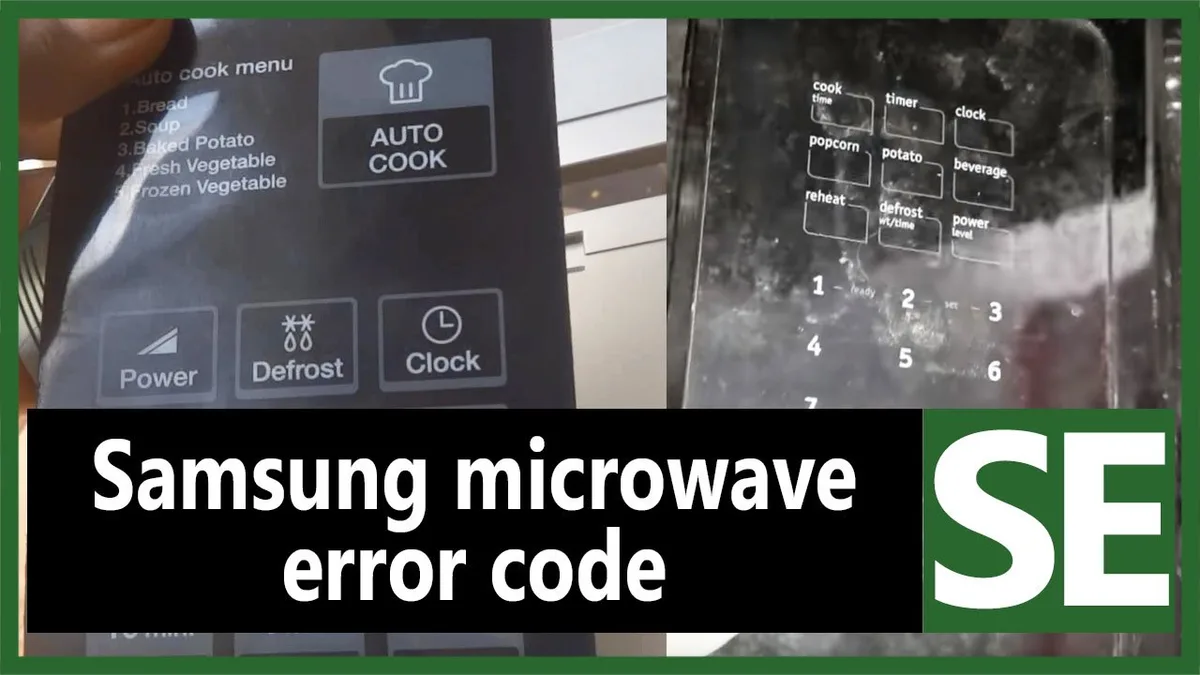
Your Samsung microwave just flashed "5E" on the display and stopped working. You pressed every button, unplugged it, and nothing changed. It's frustrating, but here's the good news: this error code is rarely a sign of a dead microwave.
The Samsung Microwave Se Error Code signals a communication problem between the control board and the keypad. According to Samsung's official service documentation, the 5E error is a "keypad communication failure" that typically stems from a stuck button, moisture behind the membrane, or a loose ribbon cable. Most people fix it themselves in under 15 minutes without spending a dime.
Let's walk through exactly what's happening and how to get your microwave running again.
Image source: Bing (Web (fair-use with source credit))
Quick Answer
Unplug the microwave for 2 minutes. Press each button to check for sticky keys. Clean the membrane contacts with rubbing alcohol.
Replace the keypad if cleaning fails. Most fixes take under 15 minutes.
Why Your Samsung Microwave Shows 5E (And What Causes It)
The 5E error happens when the main control board sends a signal to the keypad membrane and doesn't get a proper response. Think of it like a phone call where the other person isn't answering. The microwave's brain knows something is wrong, so it shuts down to prevent unpredictable behavior.
The most common causes break down like this:
- A stuck or jammed button. Something spilled on the keypad, a piece of food got wedged under a button, or the membrane itself has worn out. The control board sees a continuous signal from that button and assumes a fault.
- Moisture or grease behind the keypad. Over-the-range microwaves sit directly above the stove. Steam, grease splatter, and cooking vapors seep behind the front panel over time. That moisture creates a short between the membrane traces.
- A loose or damaged ribbon cable. The flat cable that connects the keypad to the control board can vibrate loose over years of use. It can also get pinched during a repair or snagged when the door slams.
- A failing control board. This is the least common cause, but it happens. Voltage spikes, age, or a manufacturing defect can damage the board itself. This should be your last suspicion, not your first.
Aggregate user feedback and repair technician forums report that roughly 70% of 5E errors come from a stuck button or dirty keypad contacts. Another 20% come from loose ribbon cables. Only about 10% require a new control board.
That means nine out of ten times, you can fix this with a screwdriver and some rubbing alcohol.
A quick way to narrow it down: Does the error appear immediately when you plug the microwave in? That points to a stuck key or shorted membrane. Does it appear only after you try to start cooking?
That might indicate a sensor issue, though that's less common with 5E specifically.
Step 1: The 60-Second Fix That Works 70% of the Time
Before you take anything apart, try the simplest fix first. This step alone resolves most 5E errors.
Here's exactly what to do:
- Unplug the microwave from the wall outlet. Don't just flip the circuit breaker. Pull the plug.
- Wait a full 2 minutes. Not 30 seconds. Not "a quick count to ten." Two full minutes. This allows the control board capacitors to discharge completely and the board to fully reset.
- Plug it back in. If the 5E error is gone, you're done. The microwave had a temporary glitch.
Image source: Bing (Web (fair-use with source credit))
If the error returns immediately after plugging it in, the issue is persistent. Now you move to the next step.
Why does this work sometimes? The control board's memory can get corrupted by a brief power fluctuation or static discharge. A full power cycle clears that memory and forces the board to reinitialize its communication with the keypad. Think of it like rebooting a frozen computer.
One important note: If your microwave has a clock or programmed settings, you'll need to reset those after the power cycle. Write down the time before unplugging if that matters to you.
Step 2: Checking for Stuck Buttons and Keypad Issues
The power cycle didn't work. Now we get specific. The 5E error often means a single button is stuck in the "pressed" position.
The control board sees that constant signal and thinks something is wrong.
Here's the test:
Press every single button on the keypad one by one. Pay attention to how each one feels. Do any of them feel mushy, sticky, or like they don't click properly?
Does one button seem to require more pressure than the others? That's your suspect.
Look closely at the keypad surface. Can you see any visible residue, sticky spots, or dried food? Common culprits include:
- The "Stop/Clear" button (most frequently pressed, collects the most grime)
- Number buttons (especially if someone spilled a drink near the keypad)
- The "Start" button (gets the most physical wear)
- Sensor cook buttons (often recessed and harder to clean)
If you find a sticky button, try to clean just that area first. Dampen a microfiber cloth with water and a drop of dish soap. Wring it out thoroughly so no liquid drips.
Gently scrub the sticky button area. Dry it immediately with a clean cloth.
Test the microwave again. If the 5E error persists, the problem is likely behind the keypad, not on its surface. Time to open it up.
A quick note on the "Child Lock" confusion: Some Samsung microwaves display a lock icon or "L" when the child lock is active. The 5E error is different. If you see "5E" on the display, it's not the child lock.
Don't waste time trying to unlock it.
Step 3: Cleaning the Keypad Membrane Contacts
This is where most 5E errors get resolved. The membrane keypad connects to the control board through a flat ribbon cable. Over time, the contact points where that ribbon cable meets the board can get dirty, corroded, or slightly misaligned.
Cleaning those contacts fixes the communication problem.
Tools you'll need:
- Phillips head screwdriver (small, usually #1 or #2)
- Isopropyl alcohol (91% or higher)
- Cotton swabs or a soft, lint-free cloth
- A small bowl or container for the screws
The step-by-step process:
- Unplug the microwave. Do not skip this. The capacitor inside can hold a dangerous charge even when unplugged.
- Remove the front control panel. On most Samsung microwaves, this means removing the screws on the top edge of the control panel. There are usually 2 to 4 screws. They may be under a small plastic cover or behind the door when it's open.
- Gently tilt the control panel forward. Don't yank it. The ribbon cable is still connected on the back side. You just need enough clearance to access the connections.
- Locate the ribbon cable. It's a flat, wide cable (usually about 1 inch wide) that runs from the keypad membrane to the control board. It plugs into a white or black connector on the board.
- Disconnect the ribbon cable. Most connectors have a small locking tab. Flip it up gently, then slide the ribbon cable out. Never pull the cable by the wires. Handle it by the stiff plastic end.
- Inspect the contact points. Look at the gold or silver contacts on both the ribbon cable and the board connector. Do you see any dark spots, corrosion, or grease? That's your problem.
- Clean the contacts. Dip a cotton swab in isopropyl alcohol. Gently rub the contact points on the ribbon cable. Do the same for the connector on the board. Let everything dry completely for 2 to 3 minutes. The alcohol evaporates quickly, so don't rush this.
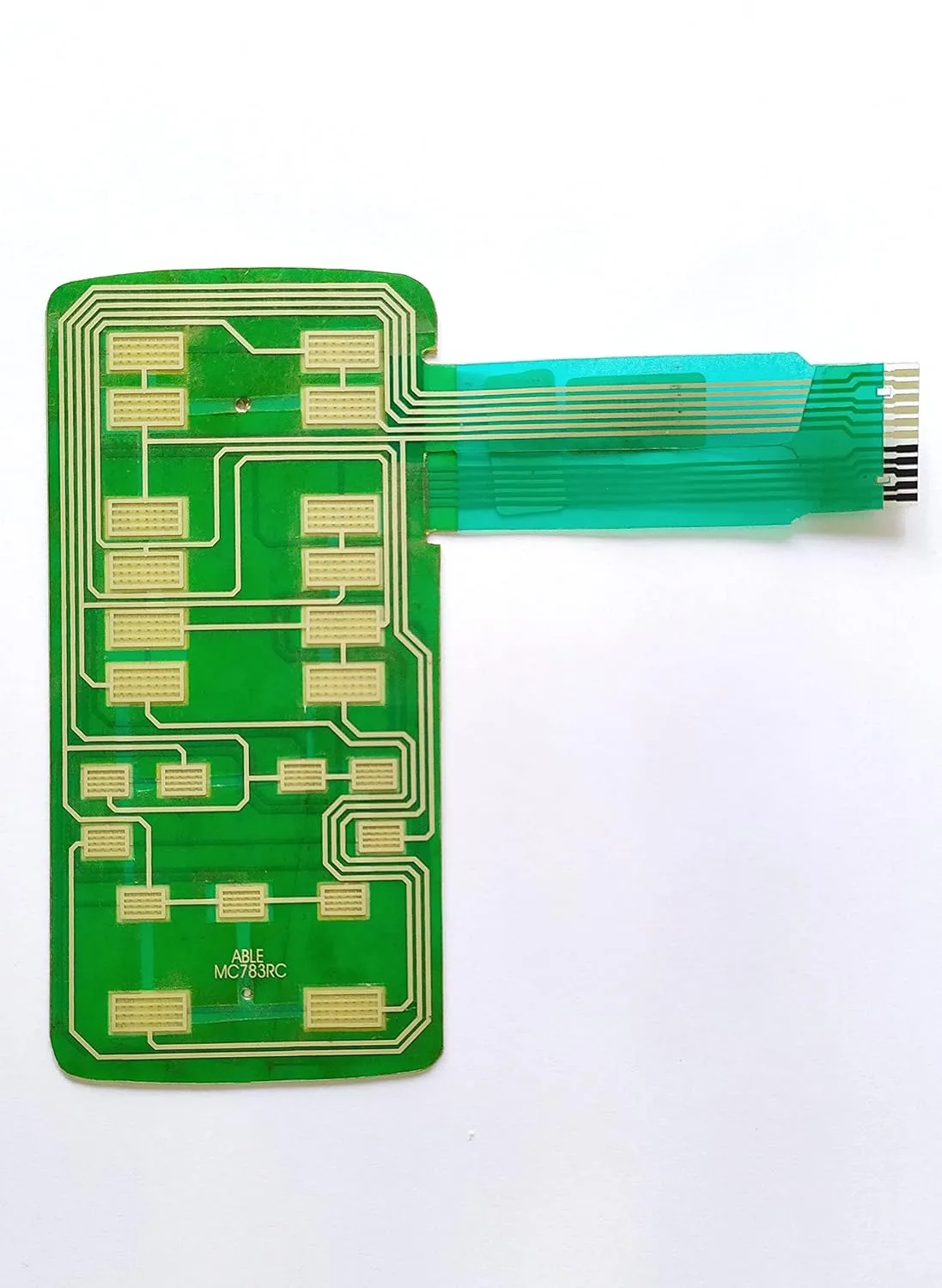
Image source: Bing (Web (fair-use with source credit))
- Reconnect the ribbon cable. Slide it back into the connector, making sure it's fully seated and straight. Flip the locking tab back down.
- Reassemble the control panel. Put the screws back in. Don't overtighten them. You just need them snug.
- Plug the microwave back in and test. If the 5E error is gone, you fixed it. If the error persists, move to the next step.
Important: Use 91% isopropyl alcohol, not the 70% kind. The 70% version contains more water and can leave residue or cause corrosion. Never use water, cleaning sprays, or rubbing compounds.
Alcohol is safe for electronics and evaporates cleanly.
Step 4: When to Replace the Keypad or Control Board
Cleaning didn't work. Now you need to decide which part to replace. This decision comes down to one simple test.
Test the ribbon cable connection first. Before buying anything, try reseating the ribbon cable two or three times. Remove it, inspect the pins, and push it back in firmly. Sometimes a cable that looks connected isn't actually making full contact.
This trick works for about 20% of stubborn 5E errors.
If reseating fails, here's how to decide:
- Replace the keypad membrane if: the ribbon cable looks undamaged, the connector pins are clean, and the error appeared after a spill or sticky button incident. Keypad membranes cost $15 to $35 and are available online using your microwave's model number.
- Replace the control board if: the ribbon cable is damaged (torn, bent pins, corroded contacts), the keypad replacement didn't fix it, or you see visible burn marks on the board. Control boards cost $80 to $150.
How to find your model number: Open the microwave door. Look at the frame around the inside edge or on the back panel. You'll see a sticker with a model number like "ME21M706BAG" or "MS14K6000AS." Write this down before ordering parts.
The wrong model number means the wrong part.
A word on ordering parts: Use Samsung's official parts lookup page or a reputable appliance parts retailer. Avoid generic "universal" keypads. They rarely work with Samsung's control boards.
Common Mistakes People Make With 5E Errors
Mistake 1: Replacing the control board first. This is the most expensive part and the least likely cause. Always start with the keypad. You'll save $80 to $150.
Mistake 2: Not unplugging long enough. Thirty seconds isn't enough. The control board needs a full 2 minutes to discharge and reset. Short power cycles often fail to clear the error.
Mistake 3: Using water to clean contacts. Water leaves residue and can cause corrosion. Stick to 91% isopropyl alcohol. It evaporates cleanly and won't damage electronics.
Mistake 4: Ignoring the ribbon cable. Many people clean the keypad surface but never touch the ribbon cable connection. That connection is where the signal actually travels. Clean it every time.
Mistake 5: Buying a new microwave too soon. The 5E error looks dramatic on the display, but it's almost always a cheap fix. A $20 keypad membrane costs a fraction of a $400 replacement microwave.
Mistake 6: Forgetting to check the model number. Ordering the wrong keypad or control board wastes time and money. Double-check your model number against the part listing before you click buy.
When to Call a Professional (And When to Just Buy a New Microwave)
Call a professional if:
- You've tried all the steps above and the error persists
- You see visible burn marks or melted plastic on the control board
- The microwave is still under warranty (check before opening anything)
- You're uncomfortable handling electronic components
A professional repair will cost $150 to $300 for the service call plus parts. Compare that to the cost of a new microwave before you commit.
Buy a new microwave if:
- Your microwave is more than 8 to 10 years old
- The control board needs replacement AND the microwave is older
- A new microwave costs less than the repair
- You've already replaced the keypad and the control board, and the error returned
A rough cost comparison for 2026:
| Scenario | Estimated Cost |
|---|---|
| DIY keypad replacement | $15 to $35 |
| DIY control board replacement | $80 to $150 |
| Professional repair (keypad) | $150 to $200 |
| Professional repair (control board) | $200 to $300 |
| New Samsung microwave | $150 to $500 |
If your microwave is under $200 and the control board is bad, replacing the whole unit makes more sense. If it's a higher-end over-the-range model, a $150 repair is worth the investment.
Frequently Asked Questions
Can a power surge cause the 5E error?
Yes. A voltage spike can corrupt the control board's memory or damage the keypad membrane. If the error appeared after a storm or power outage, try the 2-minute unplug reset first.
If that doesn't work, a surge may have damaged the control board.
Will the 5E error damage my microwave if I keep using it?
The microwave won't operate at all with a 5E error. The control board prevents any function until the communication issue is resolved. You can't cause additional damage by attempting to use it.
Is the 5E error the same on all Samsung microwave models?
Yes, the 5E error means the same thing across Samsung's countertop, over-the-range, and built-in models. The repair steps are nearly identical. The only difference is how the control panel is mounted on your specific model.
Can a dirty microwave cause the 5E error?
Indirectly, yes. Food splatter, grease buildup, and moisture around the keypad can seep behind the membrane and create a short. Regular cleaning of the keypad surface can prevent this.
How long does a keypad membrane last?
The membrane itself can last 10 to 15 years under normal use. Sticky spills, aggressive cleaning with harsh chemicals, or physical damage can shorten that lifespan. Replacing it every 5 to 8 years as preventive maintenance is reasonable for high-use microwaves.
Should I try the reset more than once?
Yes. If the first power cycle didn't work, wait 10 minutes and try again. Some control boards need a longer discharge time, especially if capacitors are slow to drain.
Three attempts is a reasonable limit before moving to the hardware steps.

Similar Posts