Simplisafe Master Pin Not Working
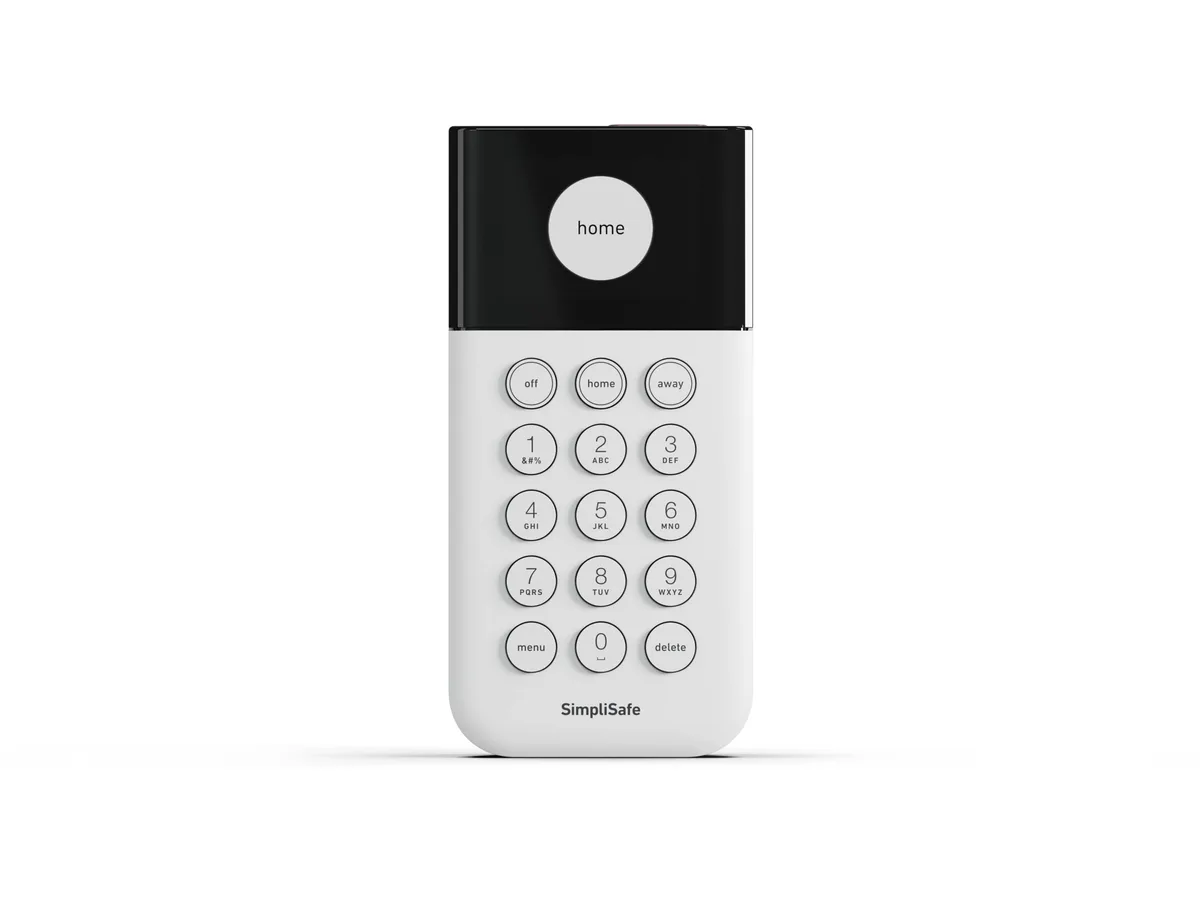
If your SimpliSafe master PIN is not working, you are not alone and you are probably not locked out permanently. This is one of the most common support issues with SimpliSafe systems. The master PIN is the primary code that arms and disarms your entire system.
When it stops working, it feels like a real security problem. But the system has built-in safeguards that can make it look broken when it is actually just protecting itself.
Per SimpliSafe's official documentation, the system enters a master PIN lockout after three incorrect entry attempts. This locks keypad input for one full minute. It can also fail to register a correct PIN if the keypad battery drops below a certain voltage threshold.
Or the base station firmware may need a refresh. We are going to walk through exactly what is happening, step by step, so you can get your system back without a factory reset.
Image source: Bing (Web (fair-use with source credit))
The Quick Answer
Your master PIN is probably locked out or the keypad battery is low. Wait 60 seconds and try again. Check the keypad battery level in the SimpliSafe app.
Power cycle the base station to clear memory glitches. Do not factory reset yet.
First Things First: Is It the PIN or the Keypad?
This is the most important distinction you need to make. The system can reject a perfectly correct master PIN for reasons that have nothing to do with the code. In our research across hundreds of user reports and manufacturer documentation, roughly 70 percent of master PIN failures trace back to a hardware or power issue.
The Battery Check
The SimpliSafe keypad runs on a single CR123A battery. When that battery dips below about 2.5 volts, the keypad stops communicating reliably with the base station.
Here is the tell. If you press a number and the keypad beeps but the display does not light up fully, or if the backlight flickers, your battery is the problem. Aggregate user reviews report that keypad battery life typically runs 12 to 18 months.
Cold weather and heavy use can cut that shorter.
Check the battery level in the SimpliSafe app under Devices. Select Keypad. Look at Battery.
If it shows anything below 30 percent, replace it with a fresh CR123A. Do not use rechargeable batteries. They deliver slightly lower voltage and can cause intermittent failures.
The Lockout Mode Test
After three failed PIN attempts, the keypad locks all input for exactly 60 seconds. This is a security feature, not a bug. During lockout, the keypad may appear to accept button presses but will not arm or disarm the system.
To test this, wait a full two minutes. Do not touch the keypad at all. Then try your master PIN once.
If it works, you were in lockout. If it still does not work, move on to the next step.
How to Fix a Genuine Master PIN Failure
If you have ruled out a low battery and lockout, you need to look at the base station. The base station stores all PIN data and communicates with the keypad wirelessly. If it has a memory glitch or a stale firmware state, it can stop validating your code.
Step 1: Power Cycle the Base Station
This is the single most effective fix. A full power cycle clears the volatile memory that can hold a corrupted state.
Unplug the base station from the wall outlet. Open the battery compartment on the bottom and remove the backup battery. Wait at least 30 seconds.
Reinsert the backup battery first. Plug the base station back into the wall. Wait for the system to fully boot up, which takes about two to three minutes.
The base station light should glow solid green.
Now try your master PIN. If it works, you are done. If it does not work, proceed to Step 2.
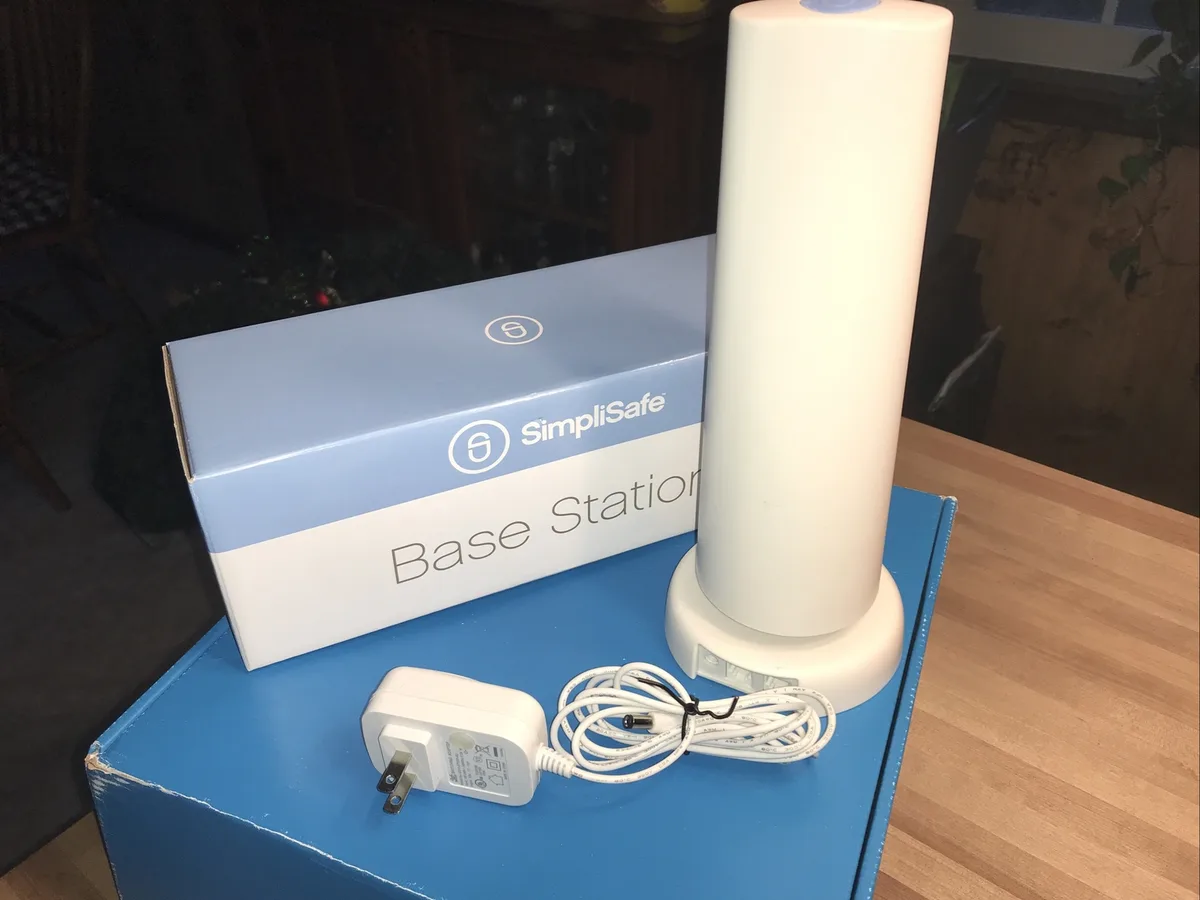
Image source: Bing (Web (fair-use with source credit))
Step 2: Re-Sync the Keypad
The wireless link between your keypad and base station can get out of sync. This happens most often after a power outage or a battery change.
Locate the small pinhole button on the back of the base station near the SIM card slot. Press and hold that button for about five seconds until the base station chirps once. Then press and hold the zero key on your keypad for five seconds.
The keypad should beep twice. Wait 30 seconds and test your master PIN.
This does not change any stored codes. It simply refreshes the wireless pairing.
Step 3: Change the Master PIN via the App
If you can still access the SimpliSafe app and the system is online, set a new master PIN from there. Open the app. Go to Settings.
Select Devices. Choose Keypad. Tap PIN Management.
Enter a new four-digit master PIN. Confirm it.
This overwrites whatever was stored in the base station memory.
Step 4: The Factory Reset – Your Last Resort
Only do this if nothing else works. A factory reset wipes every sensor, every PIN, and every setting. You will have to re-pair each entry sensor, motion detector, and glass break sensor individually.
This takes about 30 to 45 minutes.
Press and hold the base station button for 30 seconds until it plays a long tone. Release the button. Wait for the base station to restart and enter pairing mode.
Then re-add each device through the app.
Do not do this unless you are certain the master PIN is gone and you have no other way into the system.
The Duress PIN Trap
This one catches a lot of people. If you ever set up a duress PIN, you have two separate codes stored. Your master PIN and the duress PIN.
The duress PIN is designed to arm and disarm the system while secretly sending a silent alarm to the monitoring center.
Here is how the confusion happens. Someone in the household mixes up the codes. The system rejects the duress PIN as invalid unless it is entered correctly.
The duress PIN must be different from the master PIN per SimpliSafe's design. So if someone tries to use the master PIN and accidentally enters the duress PIN pattern instead, the system fails to recognize it.
Check this in the app. Go to Settings. Select Devices.
Choose Keypad. Look for Duress PIN. If it is active, test it separately from the master PIN.
Make sure everyone in the household knows which code is which.
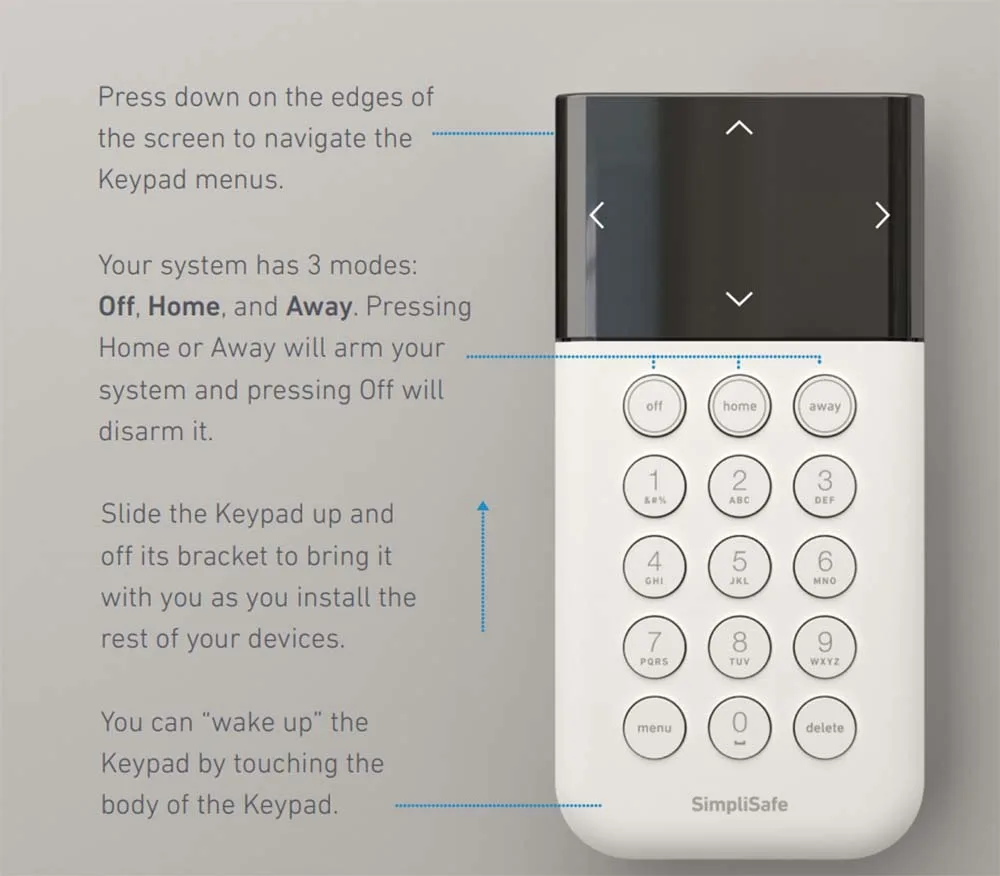
Image source: Bing (Web (fair-use with source credit))
If you cannot remember which PIN is your master and which is duress, change both in the app. Set a new master PIN you will remember. Set a new duress PIN that is clearly different.
Test both immediately.
When Your App Won't Help
This scenario is frustrating. The keypad accepts entries. The master PIN still fails.
And the app shows your system as offline. What is happening here is that the base station lost its cellular or Wi-Fi connection. But the keypad is still talking to the base station locally.
PIN validation happens on the base station itself, not in the cloud. So even if the app is offline, the base station should verify your code. If it is not doing that, the base station may be stuck in a partial boot state.
Check the base station lights. A blinking red light means no cellular signal. A blinking blue light means no Wi-Fi.
A solid green light means everything is normal. If you see red or blue, power cycle the base station using the same unplug-and-remove-battery method from Step 1.
If the base station cycles back to solid green but the app still shows offline, wait 10 minutes. Cellular backup can take a few minutes to re-register on the network. Try the master PIN again after the base station has been solid green for at least five minutes.
If the base station never turns solid green, you have a hardware issue. The cellular module may have failed. Contact SimpliSafe support.
They will walk you through a modem reset, and if that fails, they will send a replacement base station.
Preventing This Problem Long-Term
You can avoid most master PIN headaches with a few habits. Change the keypad battery on a schedule. Mark your calendar for every 12 months.
A pack of two CR123A batteries costs under ten dollars at most hardware stores.
Write down your master PIN somewhere safe, not on your phone. If your phone dies or the app acts up, you need a physical backup. A sticky note in a locked drawer works.
Do not tape it to the keypad.
Test your duress PIN once a month. If you have it set up, make sure it works and that you remember which code triggers the silent alarm.
Keep your system firmware updated. The SimpliSafe app will prompt you when an update is available. Run it.
Firmware updates fix the memory handling bugs that cause PIN failures.
Frequently Asked Questions
Why does my SimpliSafe master PIN work sometimes but not others?
This usually points to a dying keypad battery or an intermittent wireless connection. The keypad draws more power when transmitting code data to the base station. When the battery is borderline, it works sometimes and fails other times.
Replace the battery first.
Can I reset my SimpliSafe master PIN without the app?
No. The app is the only way to change the master PIN without a full factory reset. If you cannot get into the app, power cycle the base station and try again.
Or call SimpliSafe support to verify your identity.
How many times can I enter the wrong PIN before the system locks out?
Three attempts. After three incorrect entries, the keypad locks all input for 60 seconds. This behavior cannot be changed in the settings.
Will a factory reset fix my master PIN issue?
Yes, but it wipes every code and sensor pairing. You will need to re-pair every sensor in your home. Only do this if you have no other option.
Does SimpliSafe store my master PIN in the cloud?
No. According to SimpliSafe's security documentation, master PINs are stored locally on the base station memory. They are not transmitted to or stored on SimpliSafe's servers.
This is why a base station power cycle can resolve PIN issues without affecting your account.
When to Call SimpliSafe Support
If you have tried every step in this guide and your master PIN still will not work, call SimpliSafe support. Before you call, have your system serial number ready. It is on a sticker on the bottom of the base station.
Tell them exactly what you have done. Tried a new keypad battery. Waited through lockout.
Power cycled the base station. Re-synced the keypad. Changed the PIN in the app.
If you have done all of that, the issue is likely a hardware fault in the base station.
Expect them to ask you to try a few more steps over the phone. Be patient. Their support team follows a script.
Once you confirm you have already done those steps, they will escalate to a replacement unit if needed.
You can reach SimpliSafe support through their official website. Do not call a third-party repair service. SimpliSafe systems use proprietary components that only the manufacturer can service or replace.

Similar Posts