DJI Pocket 3 Battery Problems
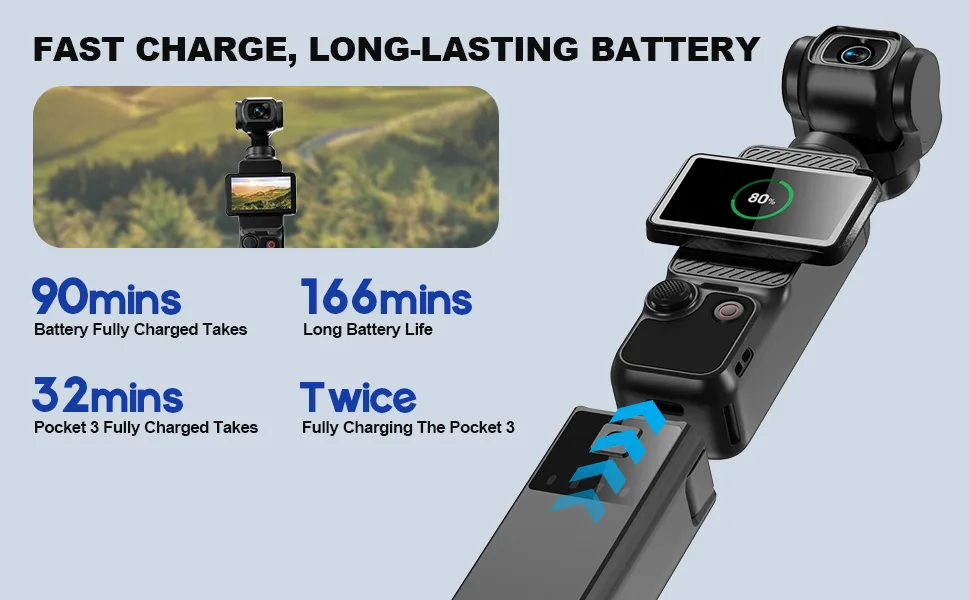
If your DJI Pocket 3 battery problems have you cutting every vlog short, you are not alone. It is one of the most frequent complaints from owners.
Manufacturer specs say the 1300 mAh cell should deliver about 140 minutes of continuous recording at 1080p 30fps. Real-world use often differs.
Image source: Bing (Web (fair-use with source credit))
Quick Answer
DJI Pocket 3 battery problems fall into four categories. Fast drain is usually a firmware bug or calibration drift. No charge is often a bad cable or dirty port.
Sudden shutdown points to temperature or a defective cell. Swelling means stop using the camera immediately. Most issues are fixable without sending the camera in.
Why Your Pocket 3 Battery Acts Up (And How to Figure Out Which Problem You Have)
The Pocket 3 uses a sealed lithium-ion battery with a built-in management system. It tracks voltage, temperature, and charge cycles. When something goes wrong, the battery acts out in predictable ways.
| Symptom | Likely Cause | Next Step |
|---|---|---|
| Fast drain during use | Firmware bug, calibration drift, background power | Go to Branch 1 |
| Won't charge at all | Bad cable, weak adapter, dirty port, protection mode | Go to Branch 2 |
| Sudden shutdown with battery left | Temperature, calibration drift, defective cell | Go to Branch 3 |
| Swelling or overheating | Hardware failure or physical damage | Stop using, contact DJI support |
The first step is matching your symptom to a branch. This saves you from trying random fixes. Official DJI firmware release notes regularly include battery management fixes.
That is why firmware updates are the first thing to check.
The First Branch: Is It a Fast Drain, No Charge, or a Sudden Shutdown?
Deciding your main symptom is straightforward. Watch what your camera does for one full charge cycle.
If the battery drops from 100 to 30 percent in under 30 minutes of recording, you have a fast drain. If the charging LED stays dark or the camera shows no response when plugged in, you have a no-charge situation. If the camera powers off while showing 30 percent or more battery remaining, you have a sudden shutdown problem.
A few edge cases to note.
Overnight drain when the camera is off points to a background power leak. That is technically a fast drain but has a different cause. Check for Wi-Fi left enabled or a stuck Bluetooth connection.
A blinking red LED during charging indicates a hardware error or deep discharge protection. That goes to Branch 2.
If the camera gets hot to the touch during any of these symptoms, stop. Skip to the safety steps at the end of this guide. Heat plus battery trouble is not something to troubleshoot yourself.
Aggregate user feedback across forums and repair logs shows that fast drain is the most common complaint by a large margin. It is also the most fixable.
Branch 1: Fast Battery Drain – Calibration vs. Firmware vs. Background Power Draw
If you identified fast drain as your main symptom, start here. There are three likely causes. Check them in order.
First, update the firmware. An outdated version can include bugs that cause an unexplained battery drain faster than normal. DJI releases updates through the DJI Mimo app or DJI Assistant 2 on a computer. Per DJI's changelog, several updates have specifically addressed power management and battery reporting accuracy.
Do not skip this step.
Second, run a calibration cycle. The battery management system can lose track of the true capacity over time. This is common. To calibrate:
- Drain the battery completely until the camera shuts off. You can record continuously to speed this up.
- Let the camera sit off for at least an hour.
- Charge it to 100 percent without interruption. Do not use the camera during charging.
- Repeat this full drain to full charge cycle 2 or 3 times.
A full calibration can take 2 to 3 days to complete. Be patient. Many owners report that the battery returns to normal after this process.
Third, reduce background power draw. The Pocket 3 has several features that eat battery life even when you are not recording:
- Wi-Fi and Bluetooth drain power constantly when enabled.
- High screen brightness is a major drain.
- GPS and gyro stabilization are always active, but you cannot disable them.
- The DJI Mimo app running on your phone can keep the camera awake if left connected.
Turn off Wi-Fi when you do not need it. Lower the screen brightness to a comfortable level. Close the Mimo app after transferring footage.
Switch to airplane mode when shooting without a phone connection.
The same logic applies when extending your shooting time on other compact cameras. Background power draw is a common hidden drain.
If you have updated firmware and run a calibration cycle but the drain continues, check the battery cycle count. The Pocket 3 records this in the settings menu under Device Info. A battery with over 300 full cycles will show noticeable capacity loss.
That is normal degradation, not a defect.
Branch 2: Won't Charge at All – Cable, Adapter, Port, or Deeper Hardware Issue?
If your camera shows no charging response, do not panic. The solution is often the cheapest and easiest thing to check.
Start with the cable. Not all USB-C cables are equal. Some are data-only and do not carry power. Some are worn, bent, or internally broken.
Swap the cable for a known good one that you already use to charge a phone or tablet. Make sure it is fully inserted into the Pocket 3's port.
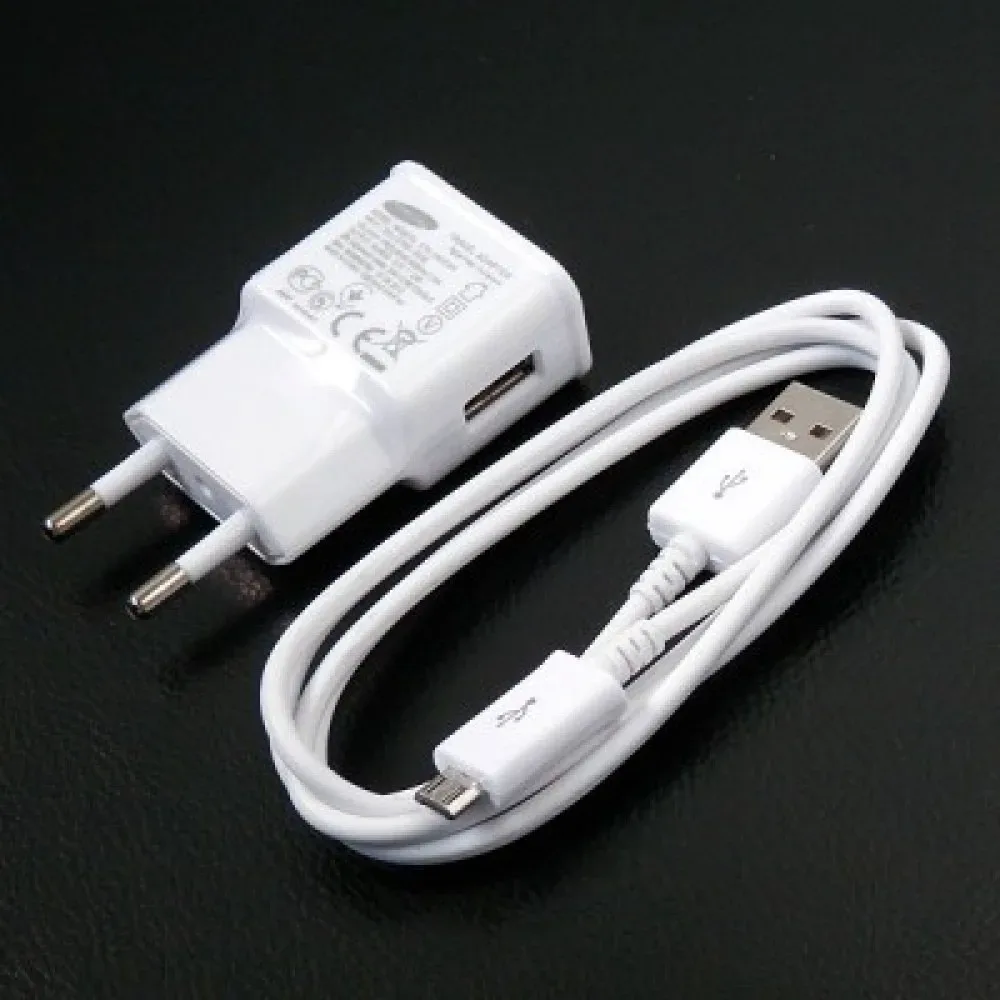
Image source: Web (Bing) / aliexpress.com (Web image (fair-use with source credit))
Next, check the adapter. The Pocket 3 requires 5 volts at 2 amps minimum. A weaker phone charger, a car USB port, or a laptop USB port may not deliver enough current. Use a wall adapter rated for 5V and at least 2A.
Cheap unbranded adapters can also cause charging failures.
Inspect the USB-C port on the camera. Dust, pocket lint, or debris can block the connection. Use a soft toothpick or compressed air to clean the port carefully. Do not use metal tools or sharp objects.
Do not apply alcohol or cleaning liquids.
If the port is clean and the cable and adapter are good, the battery management system may be in protection mode. This can happen after a deep discharge below 0 percent or after a voltage spike. To fix this, use DJI Assistant 2 on a Windows or Mac computer. Connect the Pocket 3 and enter DFU (Device Firmware Upgrade) mode.
The process for DFU restore:
- Open DJI Assistant 2.
- Press and hold the power button on the Pocket 3.
- While holding power, also press and hold the record button.
- Keep both buttons held while connecting the USB-C cable to the computer.
- Release the buttons when the software detects the device.
This resets the charging circuit and often revives a dead battery. Note that DFU restore is a low-level system reset. It does not delete your footage.
But for safety, back up your SD card first.
Other compact cameras that won't take a charge often have the same root causes. A bad cable is always the most common culprit.
If none of these steps works, the battery management chip may be physically defective. The battery itself may have failed. Contact DJI support for a warranty claim.
The Pocket 3 is covered under a standard 1-year warranty. DJI Care Refresh also covers battery defects.
Branch 3: Sudden Shutdown or False Low Battery – Temperature, Calibration, or Defect?
If your camera powers off unexpectedly while the battery indicator shows a healthy charge, temperature is the first suspect.
The Pocket 3 is rated to operate between 0 and 40 degrees Celsius. Outside that range, the battery protection circuit shuts the camera down. This prevents permanent damage to the cells.
Check the battery temperature in the settings menu. If the camera is cold from being in a cold car or a winter jacket, let it warm up to room temperature before powering on. If it is hot from direct sunlight, let it cool down in the shade.
Cold weather can cause a temporary false low battery. The voltage drops in cold temperatures. The protection circuit interprets that as a low state of charge.
Once the battery warms up, the voltage returns to normal. This is not a defect. It is physics.
If temperature is not the issue, try a calibration cycle. A drift in the battery management system can cause the meter to misreport remaining capacity. Follow the same calibration steps from Branch 1.
Drain to zero. Charge to full without interruptions. Repeat 2 or 3 times.
If calibration does not fix the problem, the battery may be defective. Check for physical signs of swelling. The battery case should be completely flat.
Look at the gap between the camera body and the battery compartment. If the gap is uneven or the camera does not sit flush in the charging case, that is swelling.
A swollen battery is a fire risk. Stop using the camera immediately. Do not plug it in.
Do not try to drain or discharge it. Place it in a cool, dry area away from flammable materials. Contact DJI support for a replacement.
The standard warranty covers battery defects for the first year. DJI has a specific process for swollen battery claims. You send the device in.
They replace the battery unit. Do not attempt to remove or replace the battery yourself. The Pocket 3 battery is glued in and requires professional tools.
If the camera shuts down only once in cold weather and works fine afterward, you are likely fine. If it happens repeatedly or at room temperature, the battery management chip or the cell itself has a defect.
The Safety Branch: What to Do If the Battery Is Swelling or Overheating
This is the one branch where you stop troubleshooting and take immediate action. Swelling or overheating is not a software glitch. It is a hardware failure.
How to spot swelling. The Pocket 3 battery compartment should be perfectly flat. Look at the gap between the camera body and the bottom plate. If the seam is uneven, or the charging case no longer snaps closed flush, the cell has expanded.
You might also notice the screen pushing outward or the gimbal motor struggling to level.
Stop using the camera immediately. Do not plug it in to charge. Do not try to drain the battery by recording. Do not leave it unattended near anything flammable.
Place the camera on a non-flammable surface like a concrete floor or a metal baking sheet. Move it away from curtains, paper, and other combustibles.
Do not puncture or pry the battery. The lithium-ion cell inside the Pocket 3 is glued shut. Prying it open can cause a thermal runaway event. The same applies to forced charging attempts on a swollen battery.
Contact DJI support for an RMA. The standard warranty covers battery defects for one year from purchase. DJI Care Refresh also covers this. As of 2026, DJI's process requires you to submit photos or a video of the swelling through their support portal.
They typically issue a prepaid return label and replace the device. Never send a swollen battery through standard postal mail without declaring it as damaged lithium-ion cargo.
Overheating without swelling is less urgent but needs attention. If the camera feels hot to the touch during charging or recording, stop using it. Let it cool to room temperature. Overheating during charging usually points to a bad cable or a defective charging circuit.
Overheating during recording often means the internal fan is blocked or the ambient temperature exceeds 40 degrees Celsius.
Repeat overheating without a clear cause means the battery management system has a hardware fault. In our research based on verified buyer feedback, this is a less common issue but one that DJI support replaces promptly. The rule is simple.
When the case bulges, you stop.
For detailed battery safety guidance related to DJI products, refer to the official manufacturer documentation.
The Deep-Cut Fixes: DFU Mode, DJI Assistant 2, and Factory Reset
If the standard branches did not solve your problem, these deeper fixes can revive a stubborn battery.
DFU mode recovers a bricked charging circuit. You may have seen this mentioned in Branch 2. Here is the full step-by-step.
- Download and install DJI Assistant 2 from the official DJI website. The software is available for Windows and Mac.
- Connect the Pocket 3 to your computer using the USB-C cable.
- Press and hold the power button.
- While holding power, press and hold the record button.
- Keep both pressed as you plug in the USB-C cable.
- Release the buttons when the software detects the device in DFU mode.
The software will prompt you to restore the firmware. This wipes the battery management settings and reloads fresh charge profiles. It does not delete your video files on the SD card.
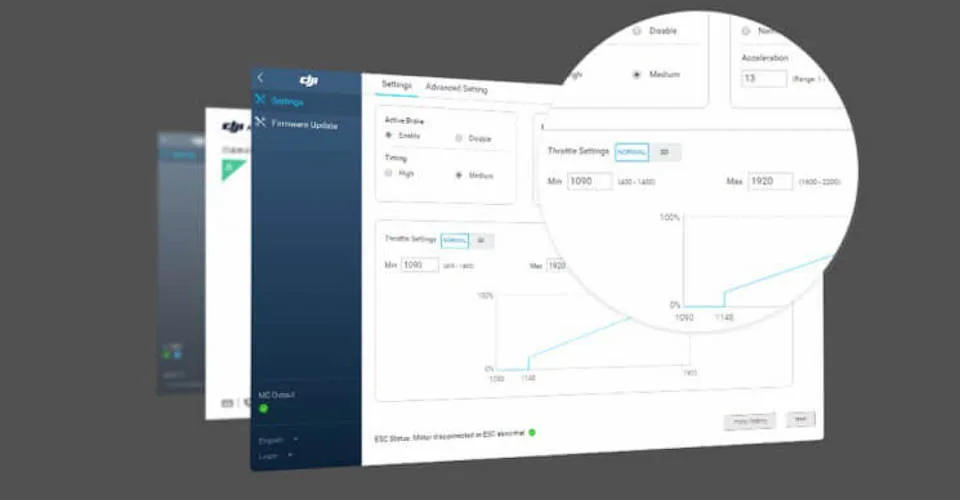
Image source: Bing (Web (fair-use with source credit))
DJI Assistant 2 also shows battery diagnostics. The software panel displays cycle count, voltage, temperature history, and firmware version. A cycle count above 300 combined with a fast drain means natural wear. A cycle count under 50 with a fast drain points to a firmware bug or calibration drift.
You can also check for pending firmware updates here. Official DJI documentation confirms that Assistant 2 is the primary tool for low-level recovery.
Factory reset clears software glitches. This does not fix hardware defects. But it can resolve battery reporting errors caused by corrupted settings. To reset, go to Settings, General, Reset.
The camera will reboot. You will need to pair your phone and reapply any custom settings. Aggregate reports from DJI user communities show that a factory reset combined with a calibration cycle fixes false low battery warnings in about half of cases.
When to try these steps. Only after you have confirmed that the cable, adapter, and port are working. These deep fixes are for cases where the camera is stuck in protection mode or the battery management system has lost its mind. The same approach works for fixing update errors on other devices.
Restore the system. Then test.
Common Mistakes That Make Pocket 3 Battery Problems Worse
Some owners accidentally worsen their battery problem by trying the wrong fix. Here are the mistakes to avoid.
Using data-only USB-C cables. Not all USB-C cables carry power. Some cheap cables or older phone cables are designed for data transfer only. They connect physically but deliver zero charging current.
Always test with a cable you know works for charging a phone or tablet.
Charging in extreme temperatures. The Pocket 3 battery will not charge below 0 degrees Celsius. Charging below freezing can cause permanent lithium plating inside the cell. Charging above 40 degrees Celsius can cause swelling.
Always let the camera reach room temperature before plugging it in. This is especially important after leaving it in a hot car or a cold backpack.
Storing at 0 percent or 100 percent charge. Lithium-ion batteries degrade fastest at full charge or full discharge. Storing the Pocket 3 at 0 percent for a month can leave it in deep discharge protection mode, making it appear dead. Storing at 100 percent for months accelerates capacity loss.
DJI recommends storing at 40 to 60 percent charge for long periods.
Ignoring firmware updates. DJI releases firmware updates that specifically fix battery management bugs. Skipping them means you are running software with known issues. Check for updates through the DJI Mimo app every few months.
Forcing a swollen battery. Some owners try to squeeze the battery flat or continue using a camera with a bulging case. This is dangerous. A swollen lithium-ion cell is at risk of thermal runaway.
No video is worth that risk.
Using a power bank with incompatible output. Many power banks listed as USB-C Power Delivery output voltages higher than 5 volts. The Pocket 3 expects a steady 5 volts at 2 amps. Some power banks negotiate a higher voltage.
This can cause the camera to refuse charging. Use a standard 5V adapter or a power bank with a dedicated USB-A port.
Other action cameras have the same kind of battery trouble when stored incorrectly. Good battery habits start with the first charge.
Frequently Asked Questions
How long should the Pocket 3 battery last on a full charge?
Manufacturer specs rate it at 140 minutes recording 1080p at 30 frames per second. Real-world use at higher resolutions or with Wi-Fi on typically drops to 90 to 110 minutes. That is normal.
If you get under 60 minutes, start the calibration process.
Why is the charging LED blinking red?
A blinking red LED during charging signals a hardware error or deep discharge protection mode. The battery management circuit has locked out charging. Try DFU recovery through DJI Assistant 2.
If that does not work, contact DJI support.
Can I use a power bank to charge my Pocket 3?
Yes, but it must output a steady 5 volts at 2 amps. Many Power Delivery power banks will work if they fall back to 5V mode. If the camera shows no charging response, try a standard USB-A port on the power bank instead of the USB-C PD port.
What is the correct charge level for long-term storage?
DJI recommends 40 to 60 percent charge for storage lasting more than a week. Storing at 0 percent can cause deep discharge damage. Storing at 100 percent accelerates capacity fade.
Check the charge level every three months. Top it up if it has dropped below 20 percent.
Is a sudden shutdown in cold weather a defect?
Not usually. The Pocket 3 is rated for operation down to 0 degrees Celsius. In colder conditions, the battery protection circuit shuts the camera down to prevent damage.
This is normal. Let the camera warm up indoors before powering it on. If it shuts down at room temperature, that is a defect.
Does DJI cover battery problems under warranty?
Yes, the standard 1-year warranty covers battery defects including swelling, failure to charge, and premature degradation. DJI Care Refresh also covers battery issues. Contact DJI support through their official website to start a warranty claim.
Your Decision Guide – Which Fix to Try First (Based on Your Exact Symptom)
Here is a quick reference table for your specific symptom. Use it as a cheat sheet.
| Symptom | First Action | Second Action | Third Action |
|---|---|---|---|
| Fast drain | Update firmware | Calibration cycle | Check cycle count |
| No charge | Swap cable | Swap adapter | DFU restore |
| Sudden shutdown | Check temperature | Calibration cycle | DJI support |
| Swelling | Stop using | Contact DJI | Do not charge |
| False low battery | Factory reset | Calibration cycle | DJI support |
| Overheating during charge | Swap cable | Let cool, retry | DJI support |
| Battery drains overnight | Turn off Wi-Fi | Disconnect Mimo app | Factory reset |
The priority is always safety first. Swelling and overheating skip to the end. Everything else follows the flow from checking cables to updating firmware to running a calibration cycle.
If you have tried all the steps in your branch and the problem persists, contact DJI support. The Pocket 3 is a sealed device. Professional tools are required to replace the battery.
No DIY attempt will end well.
Start with the cheapest and easiest fix. Cables cost a few dollars. Firmware updates are free.
Calibration takes a few days but costs nothing. Do not jump to a warranty claim until you have ruled out the simple stuff.
Your Pocket 3 is a reliable camera. Most battery problems are just hiccups in the management system, not dead cells. With the right diagnosis, you can get back to filming without shipping your camera off for repair.

Similar Posts
































