Dodge Dart Radio Not Working
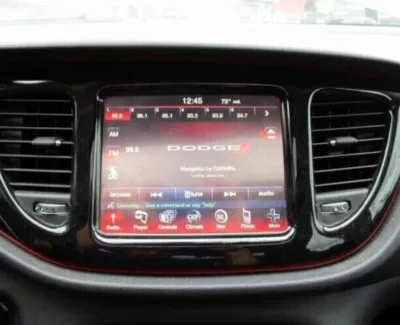
If your Dodge Dart's radio has gone dark, silent, or stuck in a boot loop, you're not alone. This is one of the most common complaints across the 2013, 2016 model years, and the frustrating part is that the root cause can be anything from a 30-cent fuse to a failed internal memory chip. We're going to walk through every possible cause in order, so you don't waste time swapping parts you don't need.
Manufacturer service bulletins (TSB 08-053-14 and TSB 08-044-15) specifically address radio performance issues in these cars, including screen freezing and intermittent power loss. As of 2026, many of these Darts are on their second or third owner, meaning electrical quirks often go undocumented. Let's get your radio working again without guessing.
Quick Answer
If your Dodge Dart radio stops working, check the radio fuse first. It's fuse #66 in the engine bay fuse box. A blown fuse fixes the problem in about 30 percent of cases.
Image source: Bing (Web (fair-use with source credit))
If the fuse is fine, disconnect the car battery for five minutes. That clears software glitches. If neither works, the radio unit likely has a hardware failure.
Replacement costs range from $80 for a used OEM unit to $400 for an aftermarket upgrade.
Problem: What's Actually Happening With Your Dart's Radio
The Dodge Dart uses a Uconnect infotainment system that handles everything, radio, Bluetooth, backup camera, and vehicle settings. When it fails, the symptoms vary. You might get a completely black screen.
The screen might light up but produce no sound. Or the system might boot up, play for a few minutes, then reboot itself in a loop.
These aren't random failures. Each symptom points to a different root cause. A dead screen with no response usually means the radio isn't getting power.
A lit screen with no audio often points to the amplifier or a software handshake issue. Reboot loops and freezing screens are classic signs of corrupted firmware or failing internal memory.
The Dart's radio communicates with the rest of the car through the CAN bus network. If the radio can't talk to the body control module, it won't turn on at all. That's why a low battery or a bad ground connection can kill the radio even when everything else works fine.
Quick Fixes: The Two Things to Try Before Anything Else
Before you pull panels or buy replacement parts, try these two things. They solve a surprising number of cases with zero cost and almost no effort.
Battery disconnect reset. Pop the hood and disconnect the negative battery terminal. Wait at least five full minutes. Reconnect it and try the radio.
This clears volatile memory and forces the radio to re-establish communication with the CAN bus. It works because many Dart radios get confused during low-voltage events like a dead battery or a jump start. The reset fixes about 25 percent of no-power and frozen-screen issues.
Hard reset of the Uconnect system. If the screen is on but frozen or glitchy, press and hold both the volume knob and the tune knob simultaneously for 10 to 15 seconds. The screen will go black, then the Chrysler logo will appear, and the system will reboot. This forces the operating system to reload fresh.
This works on sticky menus, Bluetooth pairing failures, and audio dropouts.
Try these two steps first. If neither works, move to the decision tree based on your exact symptom.
Step 1: Diagnose the Exact Symptom (Decision Tree)
Your next step depends entirely on what your radio is doing. Use the symptom that matches your situation.
Branch A: Radio Screen Is Completely Dead/Black
If the screen stays black even after a battery reset, you're dealing with a power delivery issue. The radio isn't getting electricity. Or it's getting electricity but won't turn on because of an internal fault.
Check the fuse first. That's the most common cause. If the fuse is good, test the radio harness for power with a multimeter.
If you have 12 volts at the harness and the screen stays dead, the radio unit itself has failed.
Branch B: Screen Lights Up but No Sound
This is almost always an amplifier or audio routing issue. The Dart's premium Alpine system has a separate amplifier under the passenger seat. If the amp loses power or its communication signal, the head unit will light up and navigate fine but produce zero sound.
The base system without the Alpine amp can also lose sound if the radio's internal amplifier chip fails or a speaker wire shorts to ground.
Branch C: Radio Turns On Then Cuts Out or Reboots
Intermittent power loss points to a loose connection, a failing ignition switch, or a voltage drop. The Dart's radio needs a steady 12 volts to stay running. If the voltage dips below about 11.8 volts, the radio shuts itself off to protect the memory.
A weak battery, corroded battery terminals, or a failing alternator can cause this. It can also happen if the ignition switch contacts wear out and momentarily lose the accessory power circuit.
Branch D: Stuck on "Uconnect Loading" Screen
This is the most diagnostic-friendly symptom. A radio that powers on but hangs on the loading screen has a software corruption or a failed eMMC memory chip. Early 2013 Dart radios are known for this.
The fix is either a firmware reflash at a dealer or replacement of the radio unit. No amount of battery disconnects will fix a corrupted memory chip.
Step 2: Check the Fuse (and Don't Skip This)
The radio fuse is a 15-amp mini blade fuse located in position #66 of the Totally Integrated Power Module (TIPM). The TIPM is the main fuse box under the hood on the driver's side, near the battery. It's a black plastic box with a removable cover.
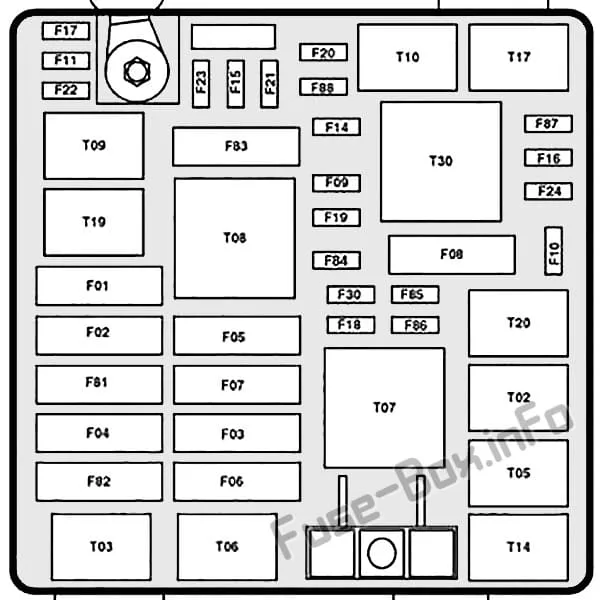
Image source: Bing (Web (fair-use with source credit))
Open the cover and look for the diagram on the underside. Fuse #66 should be labeled "Radio" or "Infotainment." Pull the fuse with a fuse puller or a pair of needle-nose pliers. Hold it up to the light.
If the metal strip inside is broken, the fuse is blown.
Never replace a blown 15-amp fuse with a higher amperage fuse. That's how electrical fires start. If the new fuse blows immediately, you have a short circuit somewhere in the radio wiring or inside the radio unit itself.
That means the radio needs replacement.
If the fuse is good, put it back and move on. You've eliminated the cheapest and easiest fix. About 30 percent of dead radio cases end here.
Step 3: Check the Battery and Ground Connections
A surprising number of Dart radio failures trace back to a weak battery. The radio requires a minimum of about 11.8 volts to power on. If your battery is old or the car has been sitting for a few days, the voltage can drop below that threshold even though the engine still cranks.
Grab a multimeter and check the battery voltage at the terminals. With the car off, a healthy battery reads 12.4 to 12.7 volts. If it's below 12.0 volts, charge the battery fully and try the radio again.
If the radio works after charging but dies again after a day or two, you likely have a parasitic drain or a failing battery.
Also check the ground connections. The Dart has a main ground strap from the battery negative terminal to the engine block and the chassis. Over time, especially in rust belt states, these connections corrode.
A bad ground can cause the radio to lose power intermittently or refuse to turn on at all. Clean the ground connections with a wire brush and re-tighten them.
Step 4: Test Power at the Radio Harness
If the fuse and battery check out, you need to test for power at the radio itself. This requires removing the radio from the dash. The good news is that the Dart's radio comes out without too much fuss.
You'll need a trim removal tool, a 7mm socket or nut driver, and a multimeter. Pry the radio bezel off carefully. It's held on by clips.
There are no screws holding the bezel. Once the bezel is off, you'll see four 7mm bolts. Two on top, two on the bottom.
Remove those and slide the radio unit out far enough to access the wiring harness on the back.
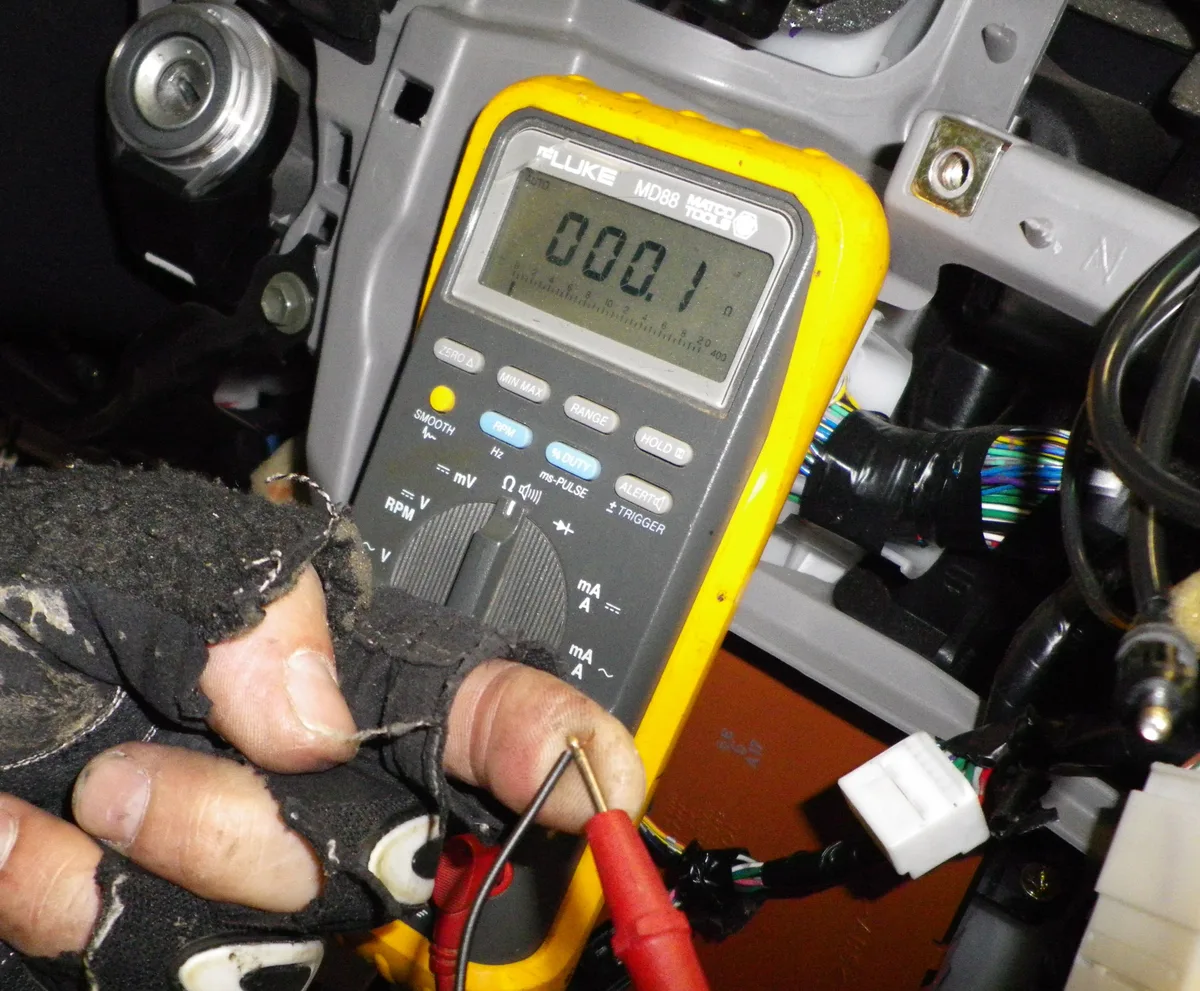
Image source: Bing (Web (fair-use with source credit))
With the multimeter set to DC voltage, probe the power pin and ground pin on the main harness connector. You'll need a wiring diagram to identify the correct pins. The Dart service manual (section 8A, 8F) provides the full pinout.
You should see 12 volts with the key in the accessory or run position. If you get 12 volts at the harness but the radio stays black, the radio unit is dead. If you get zero voltage at the harness, the problem is upstream.
In the TIPM, the ignition switch, or the wiring between them.
A zero-voltage reading at the harness means you can skip buying a replacement radio. That won't fix it. The fault is somewhere between the battery and the radio connector.
That's a wiring diagnosis job and may require professional help.
Step 5: Know When It's the Amplifier (Alpine System)
If your Dart has the premium Alpine audio system, there's an extra component to check. The amplifier sits under the passenger seat. It's a silver box about the size of a paperback book.
If the amp fails or loses power, the radio will light up and function but produce zero sound.
The easiest way to test the amp is to check its fuse. The Alpine amplifier has its own fuse in the TIPM. It's fuse #56, a 20-amp mini blade fuse.
Check that fuse the same way you checked the radio fuse. If it's blown, replace it. If it's good, the amp itself may be dead.
You can bypass the amp to confirm the diagnosis. Unplug the harness from the amplifier and connect the speaker wires directly to the radio's speaker outputs. This is a temporary test.
If sound returns, the amp is faulty. If there's still no sound, the problem is in the head unit.
Dodge used two different amplifier configurations across the Dart lineup. Some use a separate Alpine amp. Others use a built-in amp in the radio itself.
Check your window sticker or the speaker grilles. If they say "Alpine," you have the separate amp system.
Step 6: Replacement Options — OEM vs Aftermarket
If you've confirmed the radio unit is dead, you have two paths forward. Each has trade-offs.
Used OEM radio. You can find a used Uconnect unit on salvage sites for $80 to $200. Make sure you get the exact model for your Dart trim level. The Uconnect 3.0, 5.0, and 8.4A units are not interchangeable without additional parts.
Your best bet is to search by the part number on your current radio's sticker.
Aftermarket radio. A replacement from Pioneer, Kenwood, or Sony costs $150 to $400. You'll need a wiring harness adapter and a dash kit to make it fit. The Dart requires a special CAN bus interface module to retain features like steering wheel controls and the backup camera.
That adds about $80 to $150 to the total cost.
Here's a quick comparison:
| Option | Cost Range | Skill Level Required | Features Retained |
|---|---|---|---|
| Used OEM | $80–$200 | Low (plug and play) | All original features |
| Aftermarket | $150–$400 | Medium to high | Newer features, may lose some OEM functions |
The used OEM path is simpler and cheaper. The aftermarket path gives you better sound quality, Apple CarPlay or Android Auto, and a modern interface. Choose based on how much you value the original look versus updated functionality.
Step 7: Replacement Options — Used OEM Radio
If you go the used OEM route, get the exact part number from your current radio. The part number is on a white sticker on the side or back of the unit. Match it exactly.
Different trim levels and model years use different radios. A 2013 Uconnect 5.0 won't work in a 2015 without reprogramming.
Installation is straightforward. Disconnect the battery. Remove the bezel and the four bolts.
Unplug the old radio. Plug in the replacement. Bolt it back in.
Reconnect the battery. That's it. No coding or dealer activation required for most Uconnect radios.
Some 2013 and early 2014 radios require a theft lock code. If you get a "Enter Security Code" prompt, check the glove box manual or the sticker on the radio itself. The code is usually there.
If not, a dealer can look it up with your VIN.
Step 8: Replacement Options — Aftermarket Radio
Going aftermarket opens up modern features but requires more work. You'll need a wiring harness adapter specific to the Dart, a dash mounting kit, and a CAN bus interface module. The CAN bus module is essential.
Without it, you lose the backup camera, steering wheel controls, and sometimes the vehicle settings menu.
Plan for a full afternoon of work. Pull the old radio. Connect the wiring harness adapter to the aftermarket radio's harness.
Plug the CAN bus module inline. Connect everything. Test it before you bolt it back in.
The backup camera wiring requires a separate adapter in most Dart models.
If you're not comfortable with wiring, a car audio shop can do the install for $100 to $200 in labor. That still keeps the total under a dealer replacement.
Common Mistakes That Waste Time and Money
Here are the most common mistakes Dart owners make when their radio dies.
Replacing the radio without checking the fuse first. This is the number one mistake. A blown fuse costs 30 cents and takes 30 seconds to check. Don't skip it.
Buying a used radio from a different model year. The Dart's radios changed between 2013 and 2016. They look the same but don't always work. Always match the part number.
Assuming a dead screen means a dead radio. Sometimes it's a bad ground or a low battery. Test power at the harness before you buy anything.
Paying the dealer to reflash the radio. A dealer firmware reflash costs $100 to $200. It works for software glitches but not hardware failures. If the screen stays black, a reflash won't fix it.
Installing an aftermarket radio without the CAN bus adapter. Without it, you lose half the features that make the Dart's interior usable. Don't cheap out on this part.
Frequently Asked Questions
Why did my Dodge Dart radio stop working suddenly?
Sudden failure is usually a blown fuse or a voltage spike. Check the radio fuse first. If the fuse is good, a brief power surge may have corrupted the radio's memory.
Try the battery disconnect reset next.
How do I reset my Dodge Dart radio without a password?
You don't need a password for the hard reset. Press and hold the volume knob and tune knob together for 10 to 15 seconds. The system will reboot without asking for any code.
Can a dead battery cause the radio to stop working?
Yes. The Dart's radio needs at least 11.8 volts to turn on. A battery below that threshold can leave the radio dead even if the engine starts.
Charge the battery and try again.
How much does it cost to replace a Dodge Dart radio?
A used OEM radio costs $80 to $200. An aftermarket radio with installation runs $250 to $600 including the necessary adapters. Dealer replacement is the most expensive option at $500 to $800.
Is there a recall for Dodge Dart radio problems?
There is no recall specifically for the radio. However, the TIPM recall for 2013 and 2014 Darts can affect electrical components including the radio. Check with your dealer using your VIN to see if your car is affected.
Can I install an aftermarket radio in my Dodge Dart?
Yes, but you need a wiring harness adapter, a dash kit, and a CAN bus interface module. The CAN bus module is mandatory to retain the backup camera and steering wheel controls. Budget about $100 extra for these parts.

Similar Posts