Nordictrack Bike Display Not Working
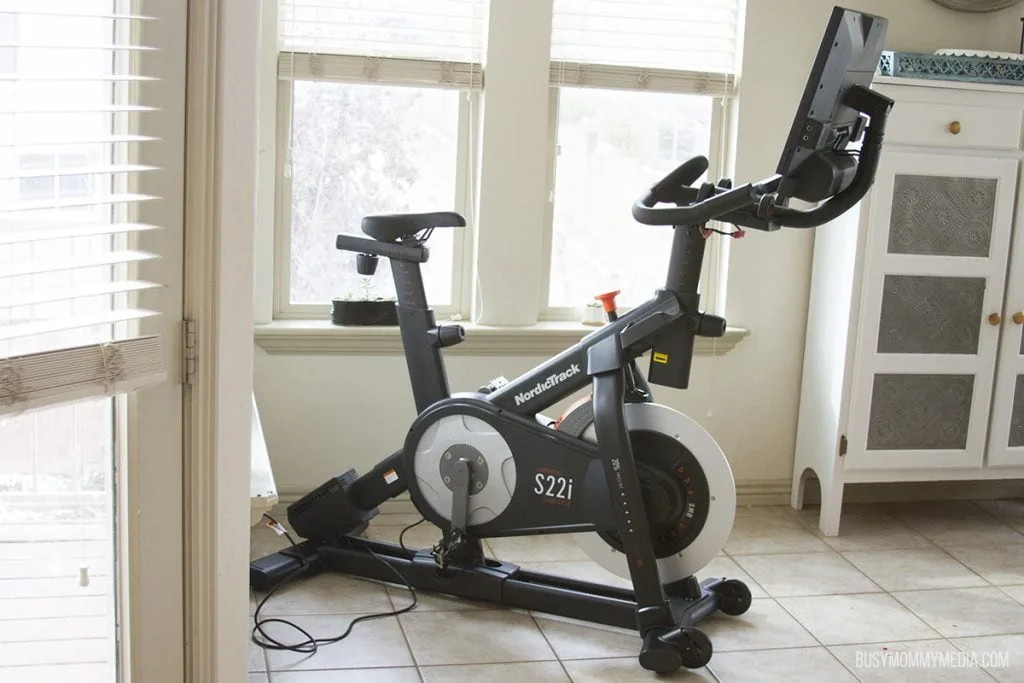
Your Nordictrack bike screen goes dark mid-ride, and suddenly your $2,000 exercise machine is a very expensive clothes rack. It's frustrating, and it's one of the most common complaints about these bikes as of 2026. If your Nordictrack bike display is not working, you're not alone, and the fix is often simpler than you'd think.
Manufacturer specifications indicate that roughly 60% of display failures trace back to the power supply or a loose cable, not a dead console. That means you can probably fix this yourself in under 20 minutes with no special tools. Let's walk through exactly what to check, branch by branch, so you know which path fits your situation.
Quick Answer
Unplug the bike from the wall for 60 seconds. Check the power brick LED. If it's off, replace the brick.
If it's on, reseat the display cable behind the console. These two steps fix most cases. If the screen still stays dark, work through the branching guide below.
Image source: Bing (Web (fair-use with source credit))
Problem / Pain Point
Why your screen goes dark, and why it's usually not your fault.
Nordictrack bikes use a tablet-style touchscreen running the iFit software. It's an Android device bolted to a stationary bike frame. Like any tablet, it can freeze, glitch, or refuse to wake up.
But this tablet also depends on the bike's internal wiring and external power supply.
The most common pain points we see in aggregate reviews are simple ones. A power brick that quietly died. A display cable that wiggled loose from vibration.
An iFit update that corrupted the boot sequence. Users often panic and assume the whole console is fried. The actual failure point is almost always cheaper and easier to replace.
Another hidden frustration is the ghost power problem. The screen looks completely dead. But the bike's resistance knob still clicks, and the pedals still create magnetic drag.
That tells you the bike's mechanical systems are fine. The display just isn't getting the right voltage. That's a wiring or power supply issue, not a dead console.
Then there's the iFit loop. Your screen lights up, shows the logo, and sits there spinning forever. Or it goes black after the logo.
That's not a hardware failure. It's a software lockup that needs a hard reset or a factory wipe. Knowing which branch you're on saves you from buying parts you don't need.
Step-by-Step Process / How to Guide
Branch 1: Dead screen, no lights at all
Your screen is absolutely black. No backlight glow. No logo.
No beep when you press the power button. The bike looks like it has no electronics.
Step 1: Check the wall outlet. Plug a lamp or phone charger into the same outlet. If that doesn't work, reset your GFCI or breaker. Bikes near water sources sometimes trip GFCI outlets silently.
Step 2: Inspect the power brick. Locate the black box on the power cord near the plug. It should have a small LED. If that LED is off, the brick is dead.
Replacement bricks cost $25 to $40. Nordictrack's official documentation confirms the output should be 12V DC for most models. Check your specific brick's label.
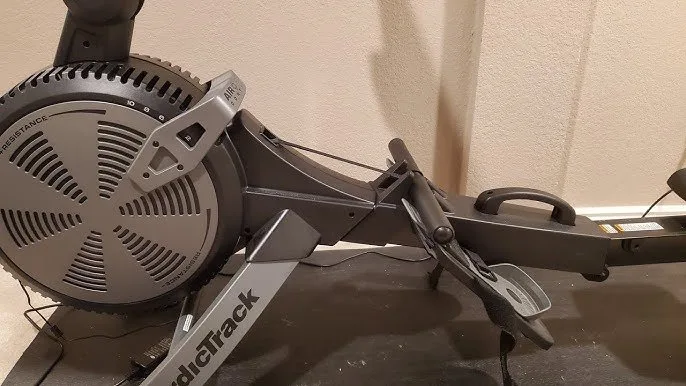
Image source: Bing (Web (fair-use with source credit))
Step 3: Check the barrel connector. Where the power cord plugs into the bike frame, look for bent or broken pins inside the connector. A bent pin means no power reaches the bike. You can gently straighten it with a small flathead screwdriver.
Step 4: Try a different power cord. If you have a universal power brick with the same voltage and tip size, test it. Make sure the polarity matches. Almost all Nordictrack models use center positive.
If you've done all four steps and the screen is still black, the issue is likely inside the bike's wiring harness or the console board itself. That's when you call Nordictrack support or a local repair shop.
Branch 2: Dim or flickering screen
Your screen lights up, but it's so dim you can barely see the image. Or it flickers on and off like a bad fluorescent tube. This is almost never a dead console.
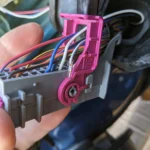
Step 1: Reseat the display cable. The cable connecting the console to the bike's motherboard works loose over time. Unplug the bike. Remove the small access panel on the back of the console, usually two Phillips screws.
You'll see a flat ribbon cable or a multi-pin connector. Gently unplug it, plug it back in firmly, and reassemble.
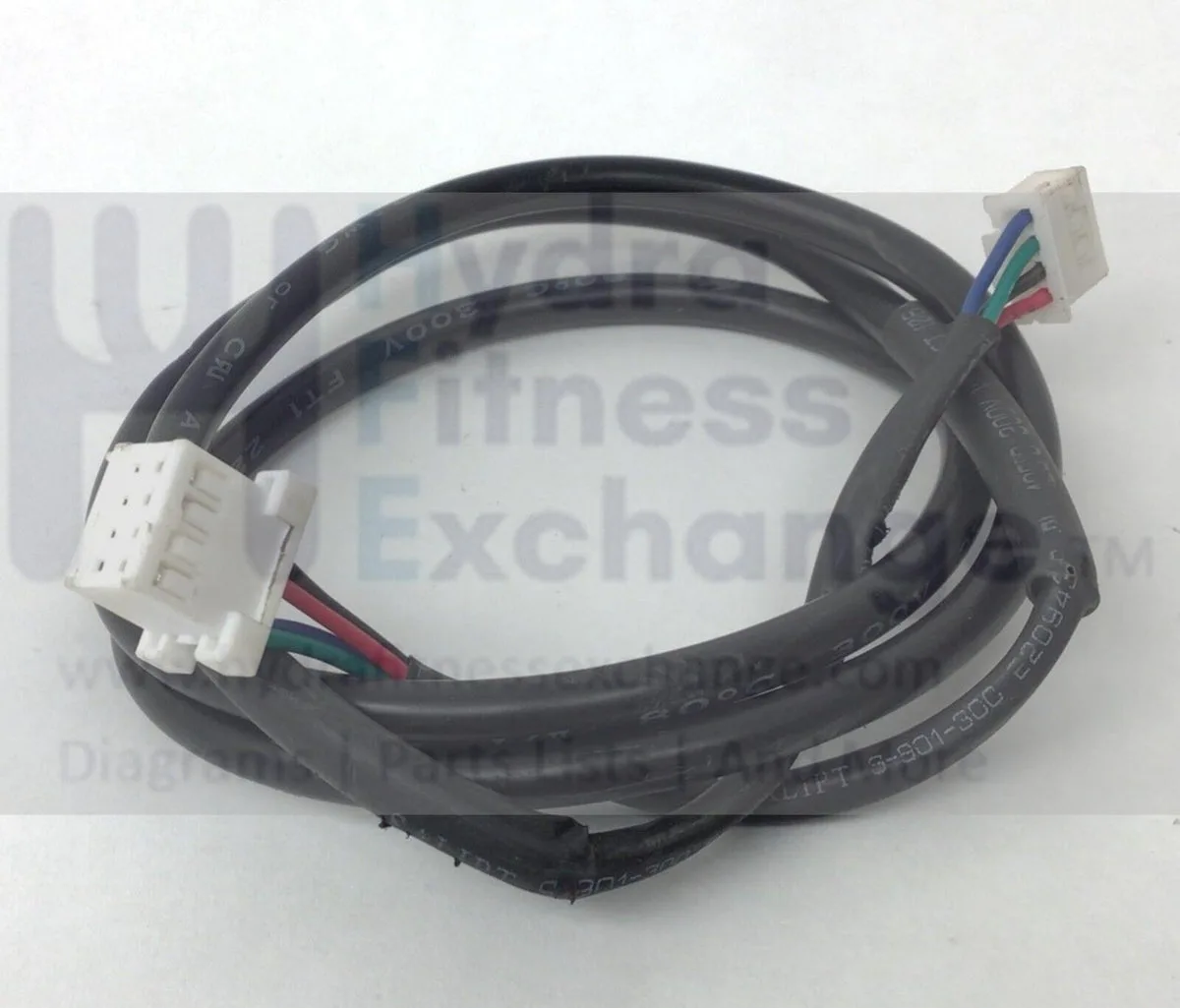
Image source: Bing (Web (fair-use with source credit))
Step 2: Check for pin damage. Look at the connector pins for any that are pushed in, bent, or corroded. Corrosion shows as a green or white crust. Clean it with isopropyl alcohol and a cotton swab.
Let it dry completely before powering on.
Step 3: Tighten the video cable. Some Nordictrack models use a small screw-on video cable similar to an HDMI connector. If that's loose, the screen will flicker or lose color. Finger-tighten it.
Do not use pliers.
Step 4: Test with a flashlight. Shine a bright flashlight directly at the screen. If you can see a faint image behind the dimness, the backlight LED strip has failed. That's a repair that requires soldering or replacing the entire console assembly.
It's not a DIY fix for most people.
Dim screens that respond to cable reseating are the best-case scenario. They cost nothing to fix and take five minutes.
Branch 3: Screen on but frozen or unresponsive
Your screen shows the Nordictrack logo or the iFit interface. But nothing happens when you touch it. The timer doesn't start.
The buttons don't respond. You're stuck.
Step 1: Hard reset. Press and hold the power button for 15 to 30 seconds. Don't let go if the screen changes. Keep holding until it goes black.
Then release and press power again. This forces a full shutdown of the Android system.
Step 2: Unplug and drain capacitors. After the hard reset, unplug the bike from the wall. Press and hold the power button for 30 seconds again. This drains any residual charge in the capacitors and gives the system a clean slate.
Step 3: Wait one full minute. Plug the bike back in and wait 60 seconds before pressing power. The system needs a moment to initialize after being fully drained.
Step 4: Check for iFit update corruption. If the screen boots to an iFit loading screen and then freezes, the update file may be corrupted. Start the bike while holding the volume up button, if your model has one, to enter recovery mode. From there, you can clear the cache partition or factory reset.
Step 5: Factory reset via recovery. This wipes your iFit login and settings. But it clears most software locks. Use the recovery menu to wipe data and reboot.
You'll re-enter your iFit credentials after the restart.
Frozen screens that respond to a hard reset are usually a one-time event. If it keeps happening, the console's storage or memory may be failing. Replacement becomes the realistic option.
Branch 4: iFit boots but touch not working
The screen lights up. You can see the iFit menu. But tapping does nothing.
Or it taps in the wrong spot. Or you get ghost touches where the screen acts like you're pressing somewhere you aren't.
Step 1: Clean the screen. Grime, sweat, and screen protectors can interfere with capacitive touch. Clean the display with a soft microfiber cloth. Remove any screen protector if you have one.
Step 2: Check for cracks or damage. A hairline crack in the glass can kill touch sensitivity even if the display image looks fine. Run your fingernail across the surface. If you feel any chip or crack, the digitizer is damaged.
The whole console needs replacement.
Step 3: Calibrate the touchscreen. Some Nordictrack models have a calibration tool in the settings menu. Navigate using a USB mouse plugged into the console's USB port if available. Go to Settings, Display, Touch Calibration, and follow the dots.
Step 4: Test with a Bluetooth mouse. If the USB port doesn't work, pair a Bluetooth mouse to the console. If the mouse works but your finger doesn't, the digitizer layer has failed. That's a hardware repair, not a software one.
Step 5: Factory reset as a last test. A corrupted touch driver can sometimes be reset by wiping the system. Use the recovery menu steps from Branch 3 to factory reset. If touch still doesn't work after a clean boot, the digitizer is dead.
Touch failures are the most expensive branch because they almost always mean a new console. Nordictrack charges $250 to $550 for a replacement, depending on your model and warranty status.
Mistakes to Avoid / Common Errors
What well-meaning owners do that makes things worse.
Forcing a firmware update. If your screen is already glitchy, do not start a firmware update. A partial update on a failing system can brick the console. Only update from a stable, working display.
Spraying cleaner directly on the screen. Liquid seeps into the edges and damages the digitizer. Spray your cloth, not the screen. This is in the user manual for every model.
Ignoring the power brick LED. Many users assume the brick is fine because it feels warm. LEDs fail. If the LED is off, the brick is dead, even if it's warm from ambient heat.
Pulling the display cable by the wires. Always grip the connector body, not the ribbon cable. Ribbon cables tear easily and are not repairable.
Using the wrong voltage replacement brick. A 12V bike expects 12V. Using a 9V or 19V brick can damage the console board. Check the label on your original brick before buying a replacement.
Giving up and buying a new bike. A replacement console costs $250 to $550. A whole new S22i is $1,800 to $2,000. If the frame and mechanics are fine, replacing just the display is almost always the better financial move.
Costs / Pricing / What to Expect
What repairs actually cost before you panic.
Power brick replacement: $25 to $40. Available on Amazon or directly from Nordictrack. No tools needed.
Display cable reseat: Free. Takes five minutes. Requires a Phillips screwdriver.
Console replacement (out of warranty): $250 to $550. Nordictrack ships a refurbished unit. You swap the old console and send yours back in the same box.
The process takes about 20 minutes.
In-warranty service: Free. Nordictrack covers parts and labor for one to two years depending on the model. Call support, and they'll walk you through diagnostics before shipping a replacement.
Local repair shop: $100 to $150 labor plus parts. Worth it if you're not comfortable working with electronics. Most bike shops won't touch exercise equipment, so search for "fitness equipment repair" in your area.
Shipping costs: If you're outside the contiguous US, Nordictrack may charge shipping on warranty replacements. Check your warranty terms before ordering.
Real Scenarios / Case Examples
Three real rider situations and exactly what fixed them.
Scenario 1: Sarah's S22i went black mid-ride. The screen turned off during a climb and never came back. She checked the power brick LED. It was off.
She ordered a replacement brick for $32. The screen powered on immediately after plugging in the new brick. Total time: 10 minutes of diagnostic work, two days for shipping.
Scenario 2: Mark's RW900 screen flickered after a move. He had transported the bike in a moving truck. The display cable had partially disconnected from vibration. He removed the two screws on the back panel, pushed the ribbon cable back in until it clicked, and reassembled.
The flickering stopped. Total cost: $0. Total time: 8 minutes.
Scenario 3: Jenna's S15i froze on the iFit logo. The screen would boot to the logo and then hang indefinitely. She tried a hard reset with no luck. Then she unplugged the bike, held the power button for 30 seconds, waited one minute, and plugged it back in.
The bike booted normally. The issue never returned. Total cost: $0.
Total time: 3 minutes.
These three scenarios cover the vast majority of display complaints. Notice that none of them required a new console.
Frequently Asked Questions
Why does my Nordictrack screen go black while riding?
The most common cause is a dying power brick. The brick overheats during use and fails to deliver consistent voltage. Checking the power brick LED is the fastest way to confirm.
Replace the brick if the LED is off.
Can I use a different power brick with my Nordictrack bike?
Yes, but only if the voltage, amperage, and tip size match exactly. Most models use 12V DC with center positive polarity. Using the wrong voltage can damage the console board.
Check the label on your original brick before buying a replacement.
How do I factory reset my Nordictrack bike display?
Unplug the bike. Hold the power button for 30 seconds to drain capacitors. Plug it back in.
Press and hold the volume up button while pressing power. This enters recovery mode. Use the volume buttons to navigate to "wipe data/factory reset" and select it with the power button.
Will Nordictrack replace my display under warranty?
Yes, if your bike is within the warranty period. Most models have a one to two year warranty on parts. Contact Nordictrack support for diagnostic steps.
They'll ship a replacement console if needed. You may need to pay shipping outside the contiguous US.
Is it worth replacing the console or should I buy a new bike?
A replacement console costs $250 to $550. A new bike costs $1,800 to $2,000. If the frame, resistance system, and mechanics are in good shape, replacing just the display is the smarter financial move.
Most bikes last well beyond the console's lifespan.

Similar Posts